 Skip to content
The Burson Automatic Invoice feature downloads your Burson invoices straight into Workshop Software, so you no longer have to enter them by hand. This article shows you how to enable it and what to ask Burson to switch on.
This feature is designed to save you time and effort by eliminating the need to manually enter your Burson invoices. By enabling this feature, your Burson invoices will be automatically downloaded and integrated into your Workshop Software account.
Steps to Enable:
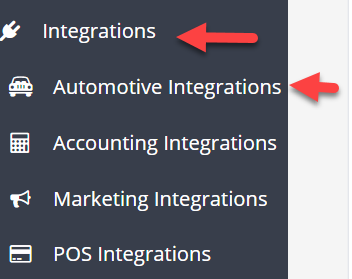
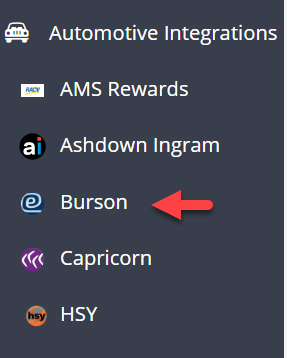
Select Burson Integration
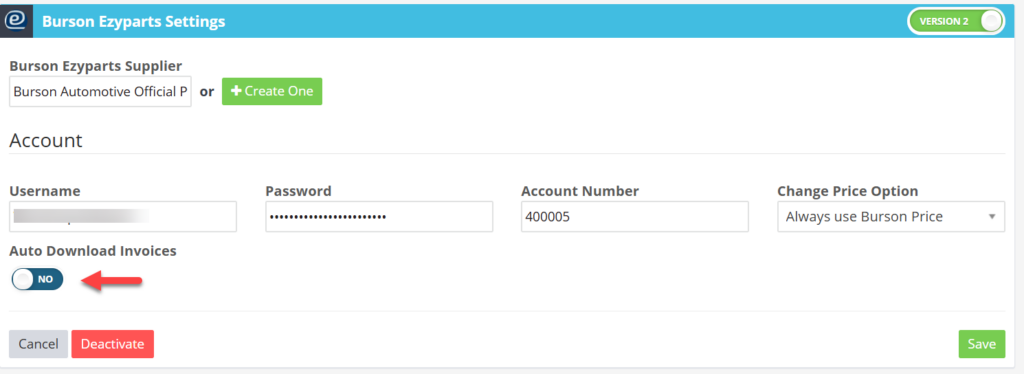
Once activated, your Burson invoices will seamlessly sync with your account.
Benefits:
-
Time-Saving: Automates the process of importing invoices.
-
Accuracy: Reduces the risk of manual entry errors.
-
Efficiency: Keeps your accounts updated in real-time.
After enabling this feature, please contact Burson and request they enable 'Electronic Invoicing for Workshop Software'.
Email: ezyparts@burson.com.au
Phone: 1300 733 849
Related Articles
- Repco automatic invoice feature
- How To Integrate Burson Version 2
- Order And Purchase Parts From Burson
