 Skip to content
Not every customer reads email or text messages, so Workshop Software can also produce printed reminder letters for service, registration and WOF due dates. This article shows you how to set up and run document reminders.
This guide will show you how to send out document reminders for customers that may not have emails or use text messages as often.
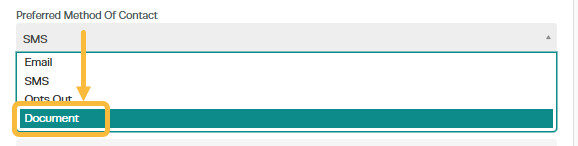
1. Any customers that you would like to receive document reminders you will need to change in their profile - preferred method of contact to 'Document'
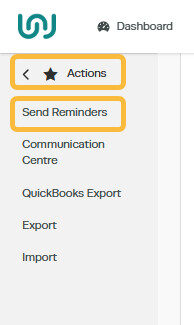
2. Once you are ready to send out the document reminders (note these are not automatic) head to 'Actions' - 'Send reminders':
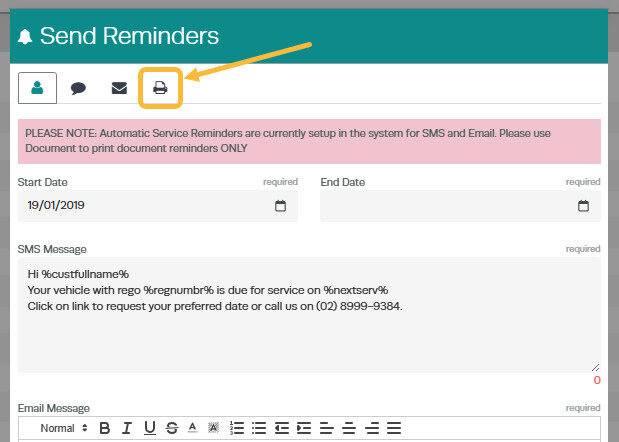
3. When you click on 'Send Reminders' a box will pop up prompting you to send them. Click on 'Document':
4. Select the dates for when you would like the document reminders to print from:
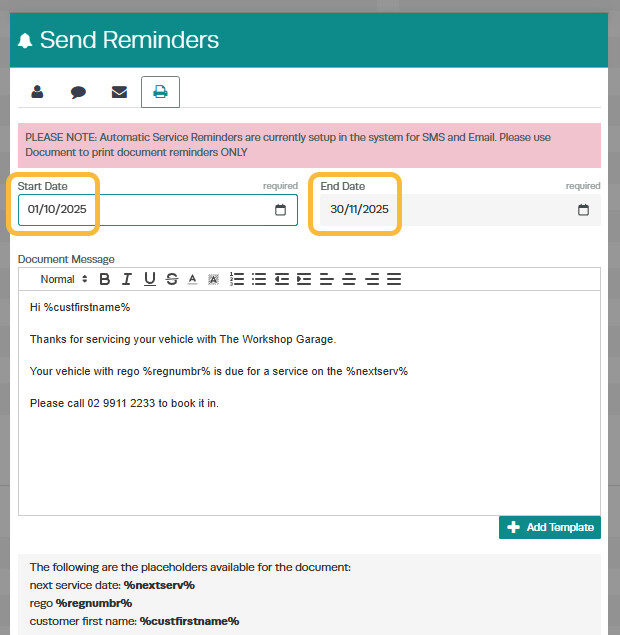
5. Press the 'send' button - this will not send the documents, it will give you PDF files so that you are able to print them and send them in the mail.
Related Articles
- How to set up automatic reminders
- How to save my invoices as a PDF document
- How to provide a booking link for service reminders
