Skip to content

This article explains what happens to your Bundles when you change the Retail Price or Cost of a Product that sits inside them. It is for anyone who looks after Product pricing, either updating a Product directly or when inputing a Supplier Invoice.
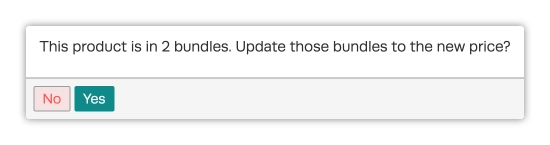
When you change an item's Retail Price, Workshop Software asks whether your Bundles should follow, and tells you how many Bundles your choice will effect. You decide each time you make a Retail Price update.
Changing the Retail Price of a Product included in Bundles
The question appears when you change the Retail Price of a Product that is in at least one Bundle.
What Yes and No Do
- Yes: in every Bundle that holds the item, the item's line takes the new Retail Price and the Bundle's Retail Price is recalculated from its lines.
- No: every Bundle keeps exactly the prices it has. Closing the question without answering counts as No.
For example, a Bundle holds 4 spark plugs at $10.00 and 1 oil filter at $30.00, so it sells for $70.00. After raising the spark plug to $12.50 and selecting Yes, the Bundle now sells for $80.00.
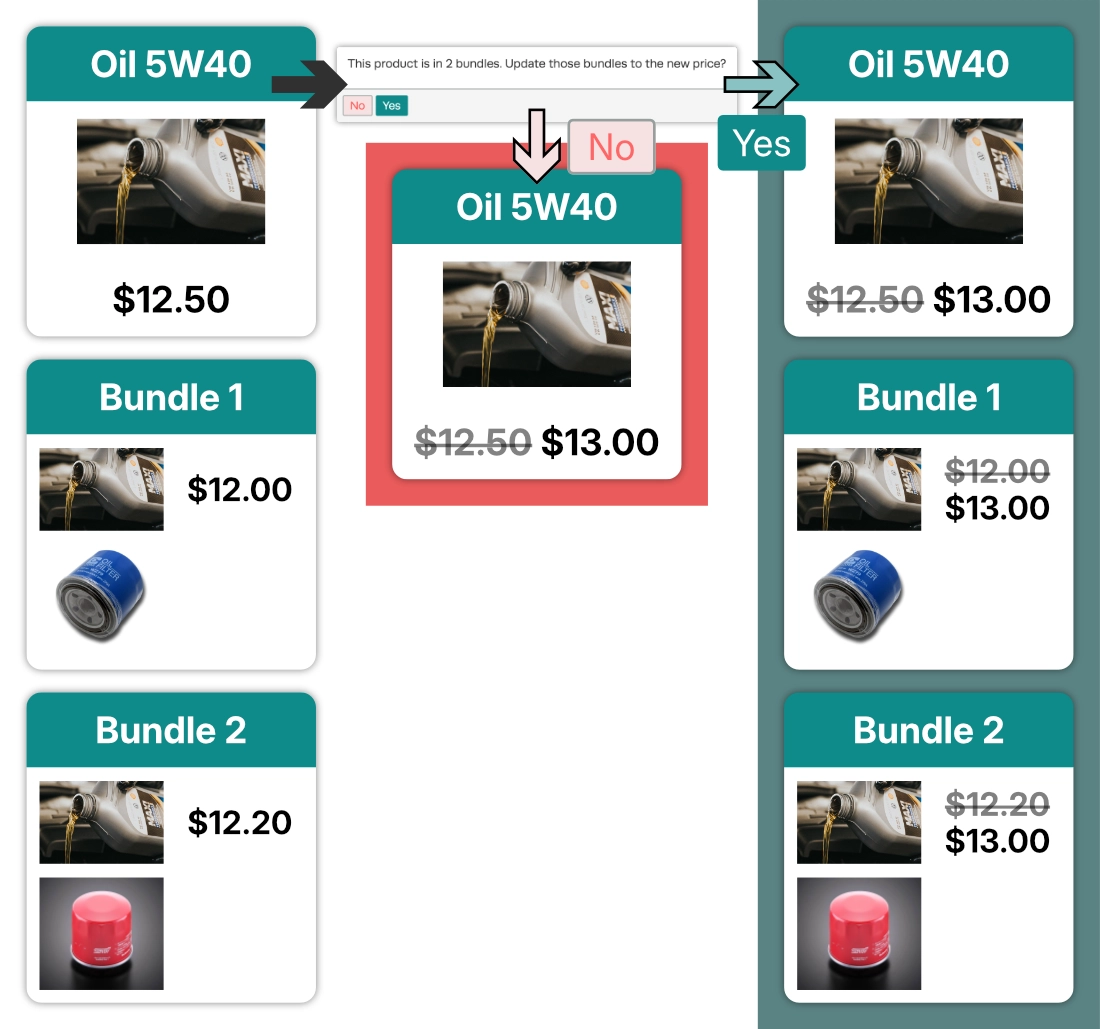
Please note: Choosing Yes replaces the item's price in every Bundle it is in, including Bundles where you have set that item to $0.00 or given it a special price. To keep a free or discounted item in a Bundle, click No.
How Bundle Cost Updates
Cost works differently, there is no question, when an item's Cost changes the Cost of every Bundle holding it updates automatically. A Cost change never changes a Bundle's Retail Price.
A Bundle's Cost counts how many of each item it holds. A Bundle with 3 of a $4.00 part has a total Cost of $12.00, so your Bundle margins are accurate.
Change Retail Price from a Product's Details
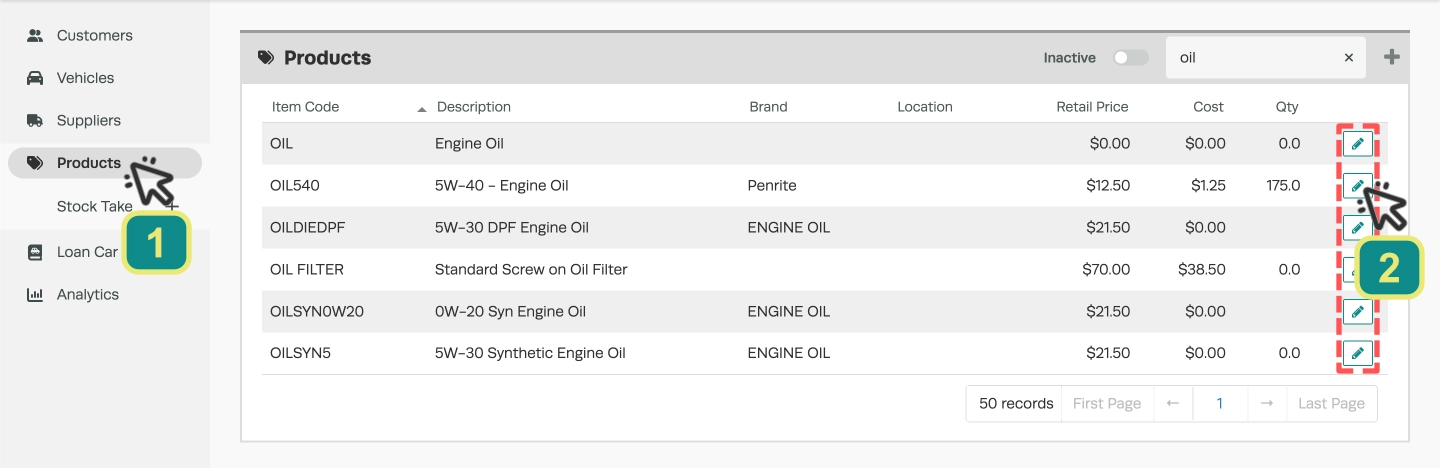
- Click Products (1) in the left hand sidebar menu, then search for and open the Product (2).
- Change the Retail Price and click Save.
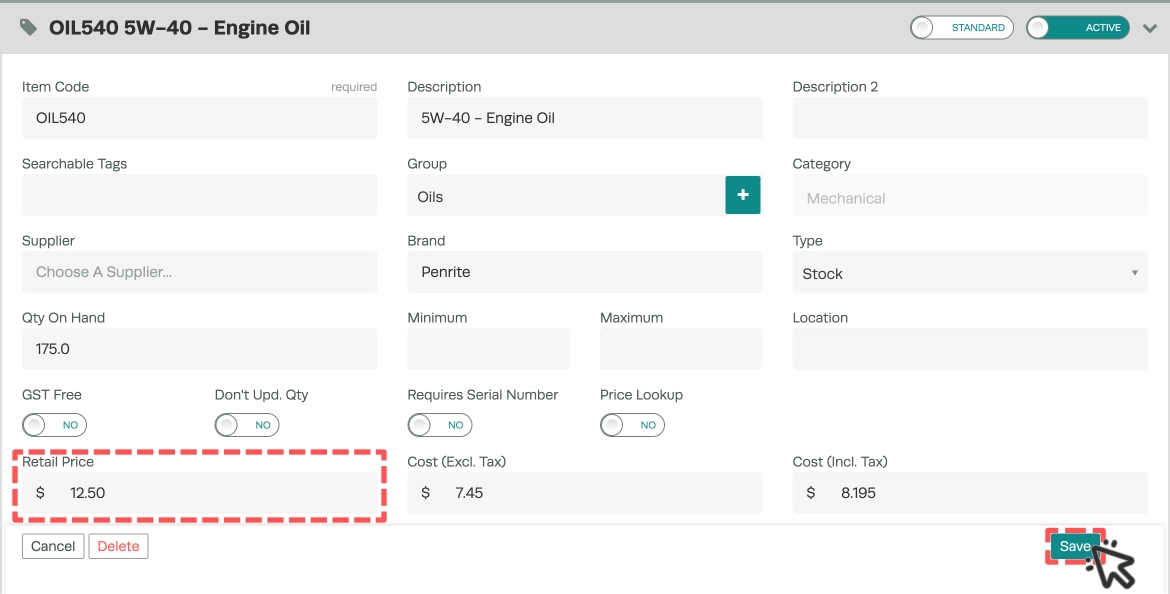
- Workshop Software asks "This product is in X bundles. Update those bundles to the new price?"
- Click Yes to update the Bundles, or No to leave them as they are.
- The Product's new Retail Price is saved whichever answer you give.
Changing Retail Price From a Supplier Invoice
- On the Supplier Invoice, click the $ icon on the item's line. Its tooltip reads Change Sell Price.

- In the Price Adjustment window, enter a Markup % or a new Price, then click Save.
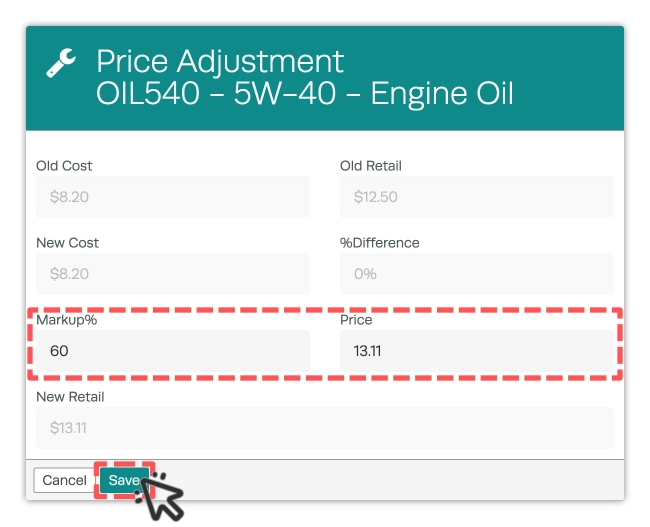
- Click Yes to confirm "Are you sure you want to update the retail price for" followed by the item code.
- If the item is in a Bundle, the same Bundle question appears next. Click Yes or No as described above.
Good to Know
- Nothing changes on your existing Bundles on the day this is released. A Bundle's total Cost catches up the next time one of its items' Cost changes or the Bundle is saved.
- Inactive Bundles are counted in the question and updated when you click Yes. Deleted Bundles are not.
- Invoices, Job Cards and Quotes you have already created are never changed.
- When an item is in more than 10 Bundles, the update runs in the background, so the new figures can take a few minutes to appear.
- Importing Products does not change Bundle prices.
Frequently Asked Questions
Why did my Bundle's Cost go up when nobody changed it?
A Bundle's Cost now counts the quantity of each item inside it. A Bundle holding several of the same part shows a higher, correct Cost the next time it updates. What you charge your customer has not changed.
Can I update some Bundles and not others?
Not from the question. One answer covers every Bundle the item is in. To change only one Bundle, click No, then open that Bundle and change the item's price in its Bundled Items, then click Save.
I clicked No by mistake. How do I update my Bundles?
Open the Product, type the Retail Price into the Retail Price field again and click Save. The question appears again, and you can click Yes.
Why didn't the question appear?
It only appears when you change the Retail Price, not the Cost, and only when the Product is in at least one Bundle that has not been deleted.
Can you bring all my Bundles up to current item prices at once?
Yes. Contact Workshop Software support at support@workshopsoftware.com. They can show you exactly which Bundles, lines and free items would change before anything is updated.
Will this change Invoices I have already raised?
No. Only the Bundles themselves change. Invoices, Job Cards and Quotes already created keep their prices.