 Skip to content
Setting a credit limit on an account customer stops further work being invoiced to their account once they owe more than you are comfortable with. This article shows you how to set, change and remove a limit.
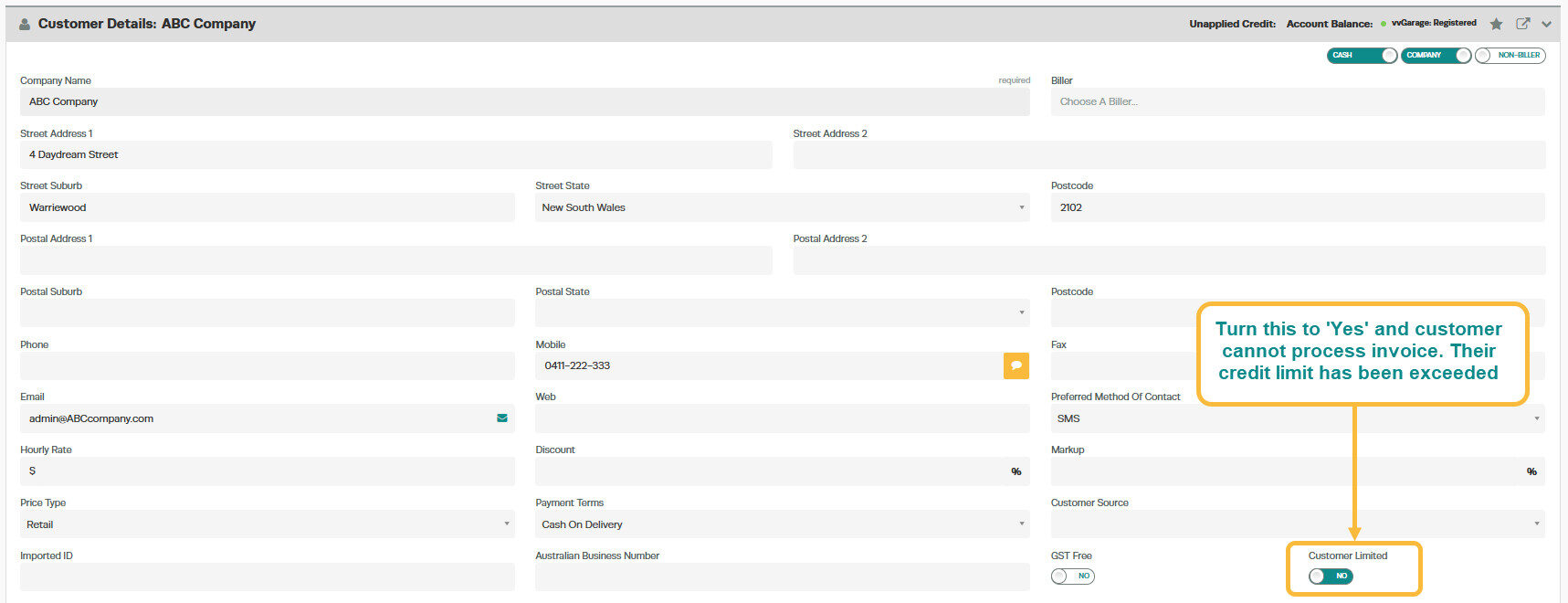
If you have a situation where a customer has not been paying their account off or has reached their limit and you want to stop the customer being able to have any new invoices placed against their account.
To stop the customer from receiving credit, set the 'Customer Limited' toggle to 'Yes' and click save.
Good to Know
- The customer account type affects how payments and balances are tracked. Cash customers pay at the time of service, while account customers can be invoiced and pay later.
Related Articles
- Change your customer from a cash account to an account customer
- Create an account invoice for a cash customer
- Create a cash invoice for an account customer
