 Skip to content
This article shows Xero-integrated customers how to set up a product group and product for a surcharge or travel fee so it can be added to a customer invoice.
Surcharge or Travel to invoice
How to set up a product for Surcharge or Travel fee This applies to Xero customers only
You will need to set up a product Group To do this go to > Settings > Company Lists > Product Groups > Press the Green  > Name > Description > Category > Account ( You will need to speak to your Accountant for that >

 After you have set up your Product Group then set up your product
Go to Products > Press the Blue
After you have set up your Product Group then set up your product
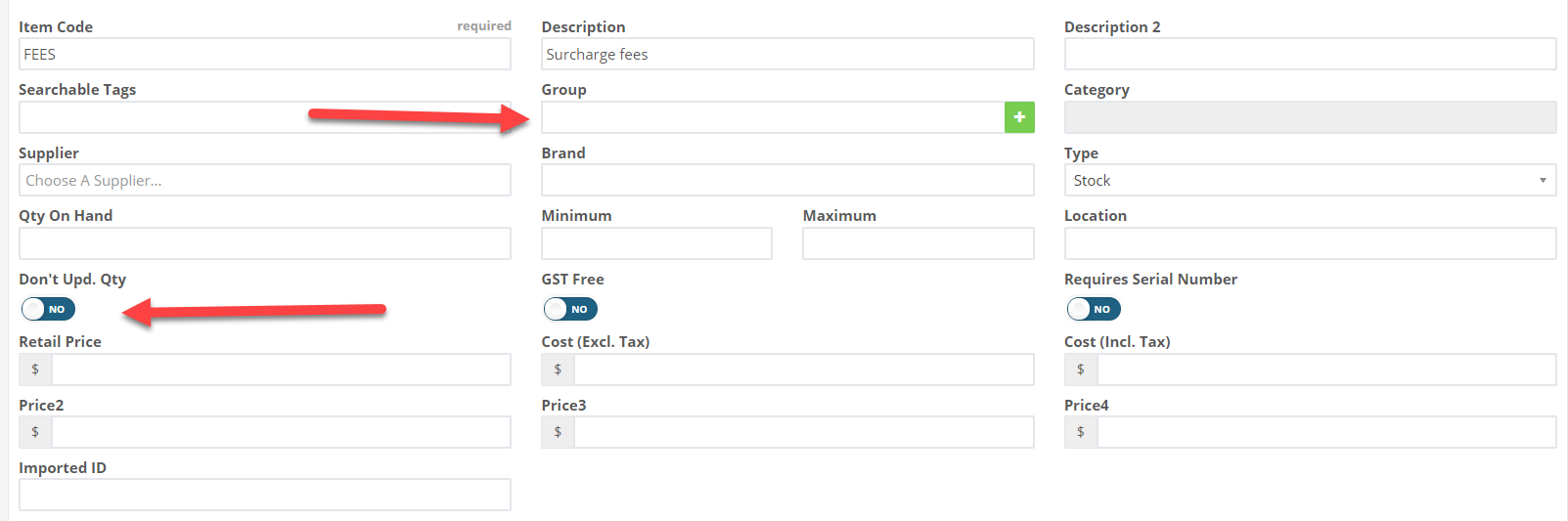
Go to Products > Press the Blue  sign > Select Item Code > Description >Group select what you set up as a group > Don't Upd. Qty toggle change to yes > You will need to speak with your accountant to find out if the fee is GST free or not
 This only applies if you integrate with Xero
> Name > Description > Category > Account ( You will need to speak to your Accountant for that >
After you have set up your Product Group then set up your product
Go to Products > Press the Blue sign > Select Item Code > Description >Group select what you set up as a group > Don't Upd. Qty toggle change to yes > You will need to speak with your accountant to find out if the fee is GST free or not
This only applies if you integrate with Xero
