 Skip to content
The MYOB error 'Maximum Allowed Characters for Name' occurs because MYOB limits name fields to 20 characters. This article shows you how to fix the customer profile and re-sync.
The reason for this error is that MYOB has a 20 character limit in the name fields.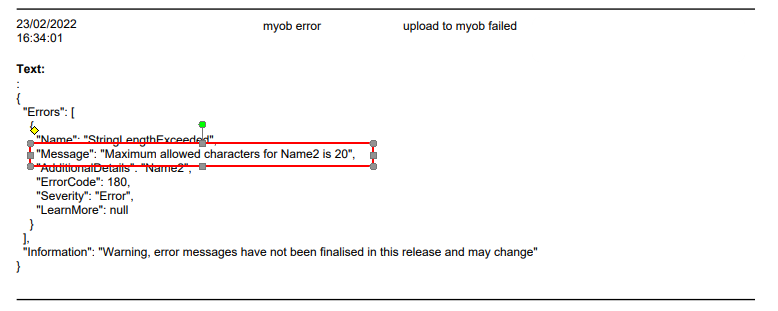 Please check the customer profile in Workshop Software and ensure all name fields have 20 characters or less.
Update the customer profile, don't forget to save the changes you have made.
Then do a manual sync to force and update between Workshop Software and MYOB this will push the updated customer profile over to MYOB and an associated invoices/payments that have not synced across.
Please check the customer profile in Workshop Software and ensure all name fields have 20 characters or less.
Update the customer profile, don't forget to save the changes you have made.
Then do a manual sync to force and update between Workshop Software and MYOB this will push the updated customer profile over to MYOB and an associated invoices/payments that have not synced across.
Related Articles
- MYOB Error - Maximum allowed characters for CompanyName is 50
- MYOB Error - Access Denied
- MYOB Error - field not found
