
The MYOB error 'IncomeAccountFreight Linked Account is required if charging freight' stops invoices with freight from syncing. This article shows you how to set the freight linked account in MYOB AccountRight.
 Issue: The problem here is that an invoice with freight on it will not sync over to MYOB. The error above comes up in the error logs. Resolution 1) Go to Integrations - Accounting Integrations - MYOB Settings and take note of the account in "Freight Sales Account"
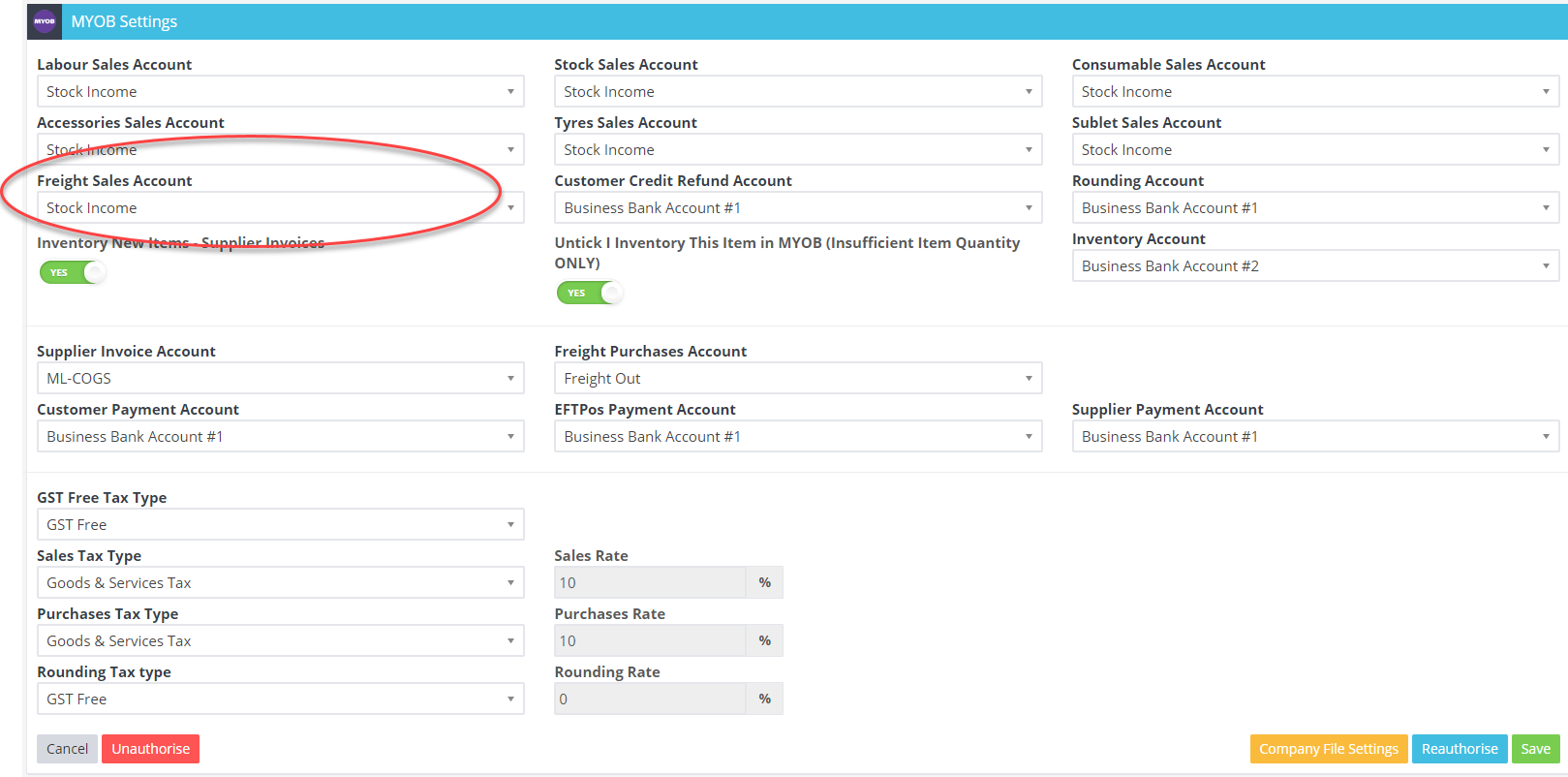 2) Log into MYOB through your AccountRight software 3) Go to Setup - Linked Accounts - Sales Accounts 4) Tick "I charge freight on sales", and select an account in this area 5) Click OK to save.
 Related Articles
- GST Not Required For Your Business
- How to tax freight
- How to integrate your Mailchimp account to Workshop Software
