Skip to content
If you use a membership system with your customers you may record a dedicated Member Number in a customisable field of a Customer's record in Workshop Software
You may also use the Member Number field to record other customer details such as an Insurer's User ID, Buying Club membership or other custom record requirements.
Enabling Member Numbers
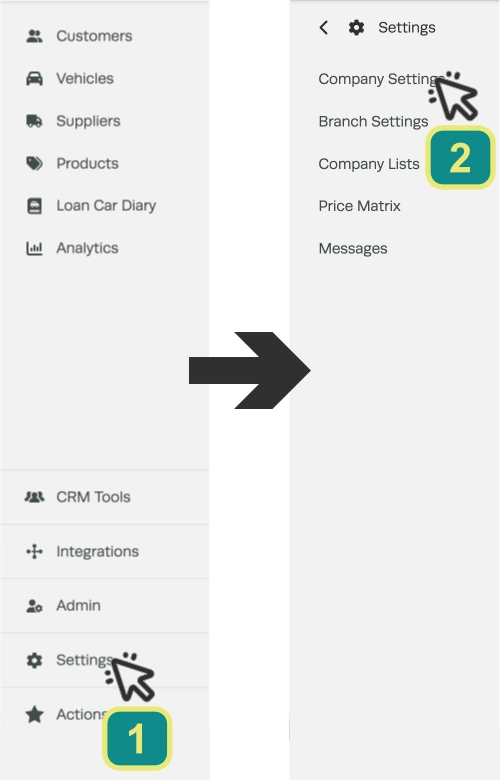
Navigate to Company Settings by clicking Settings (1) then Company Settings (2) in the left hand sidebar menu.
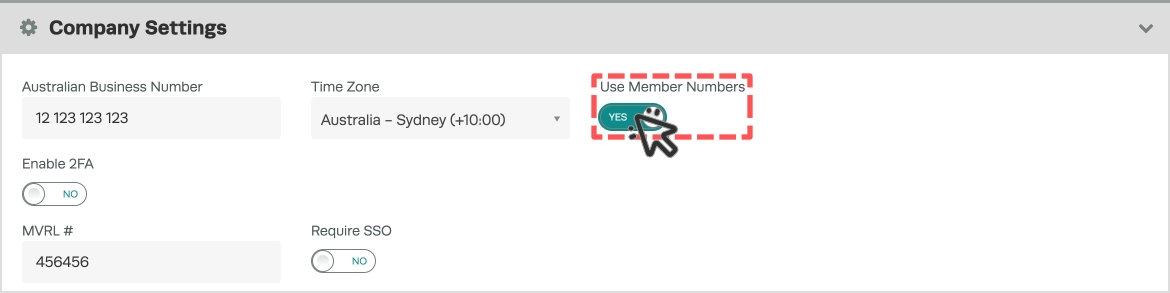
In the Company Settings header toggle on Use Member Numbers.
Scroll to the bottom of the page and Save your changes.

You may change the title of Member Numbers in the Variable Labels section of the Company Settings, click the arrow to expand the options, edit the Member Number Field then Save to update the name of the Field in your Customer details.

Entering a Customer's Member Number
When this feature is enabled you will be able to record a member number against any of your customers.
If you open a customer’s profile page your Member Number field will appear in the bottom left beneath their Imported ID field.
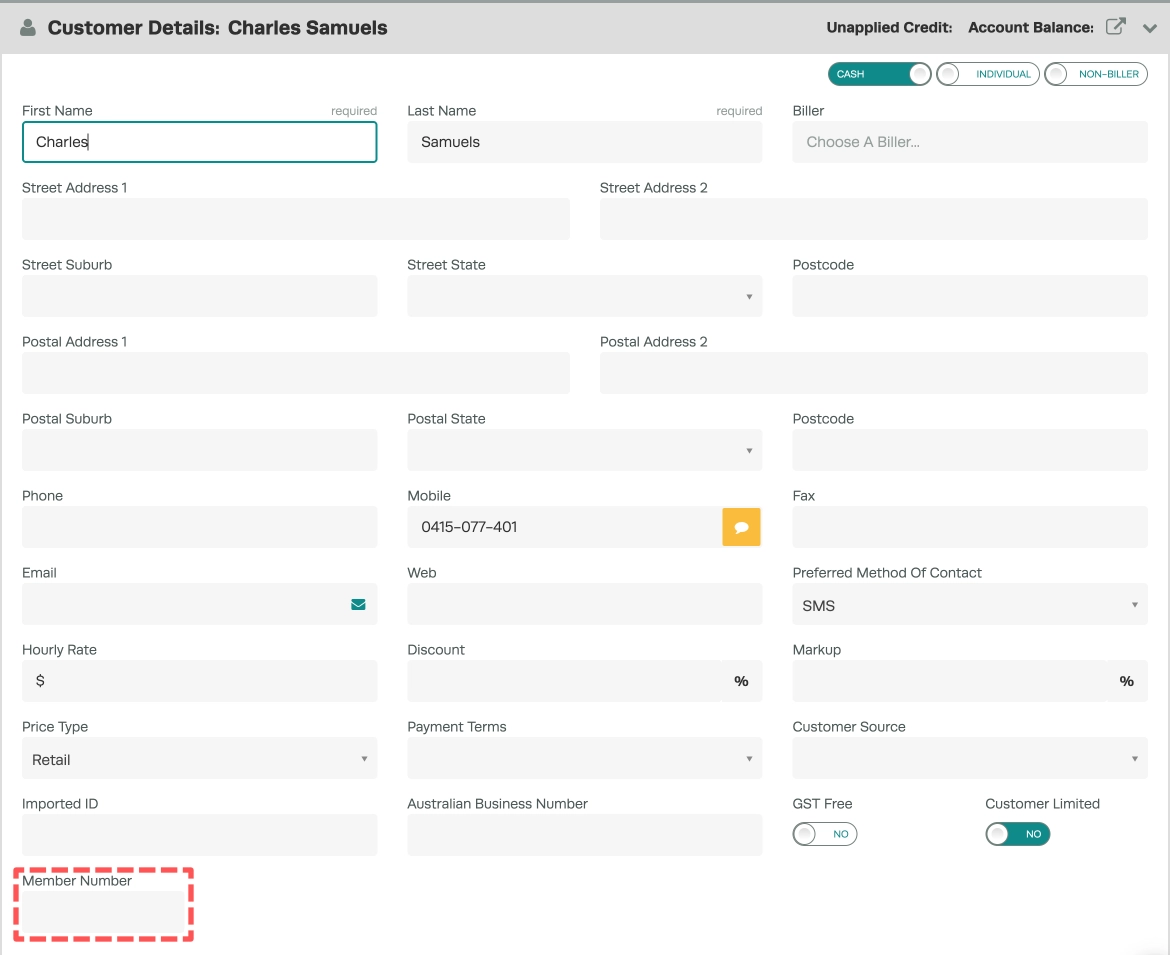
The customer’s member number will show on the following documents and pages:
- Customer profile
- Bookings
- Sales report
- Sales Breakup
- Service Due
- WOF Renewal
- Rego Due
- Vehicle Listing
- Bookings Report
- Email Report
- Invoice (all formats)