 Skip to content
A customer rings about their booking but cannot remember the date, and neither can you. This article shows you three ways to track down a booking without knowing when it was made.
This article explains how to locate a booking if you have closed it and cannot remember the original date. Imagine this scenario: You have a vehicle in your workshop waiting for parts you had to source internationally. Weeks have passed, and you have just received confirmation that the parts will arrive next Tuesday. You want to allocate time in the Booking Diary for Wednesday to complete the job. However, you cannot recall the original booking date.Steps to Locate the Booking
1. Find the Customer
Search for the customer who owns the vehicle associated with the booking. Open the customer’s profile, and scroll to the bottom where you will find the Customer Bookings tab. This tab lists all bookings related to that customer: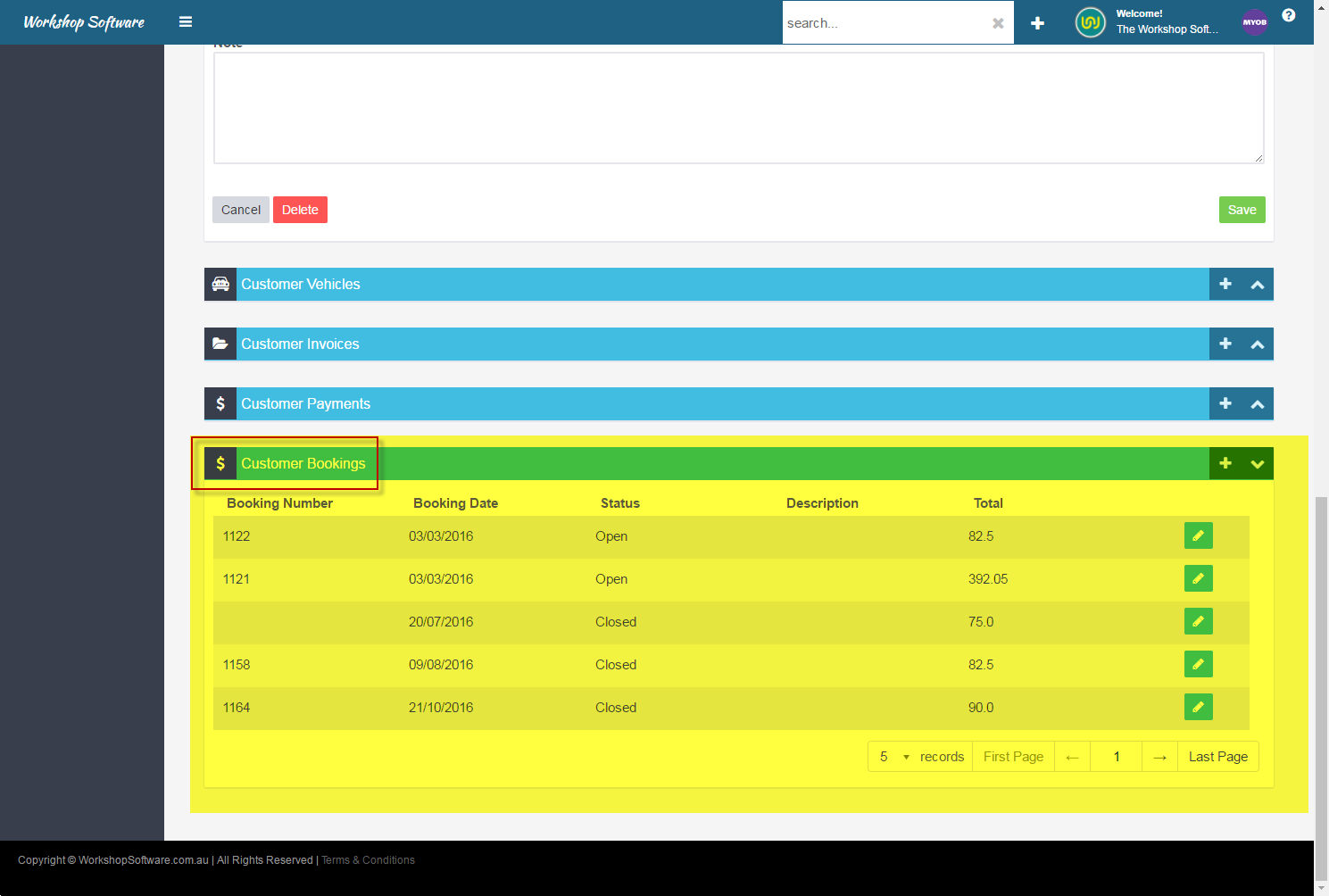
2. Search by Vehicle
If you do not remember the customer’s name, locate the booking through the vehicle details. Open the vehicle’s profile using the top search bar or the Vehicles tab on the left hand-side menu, and from there, you can find the associated booking under Vehicle Bookings.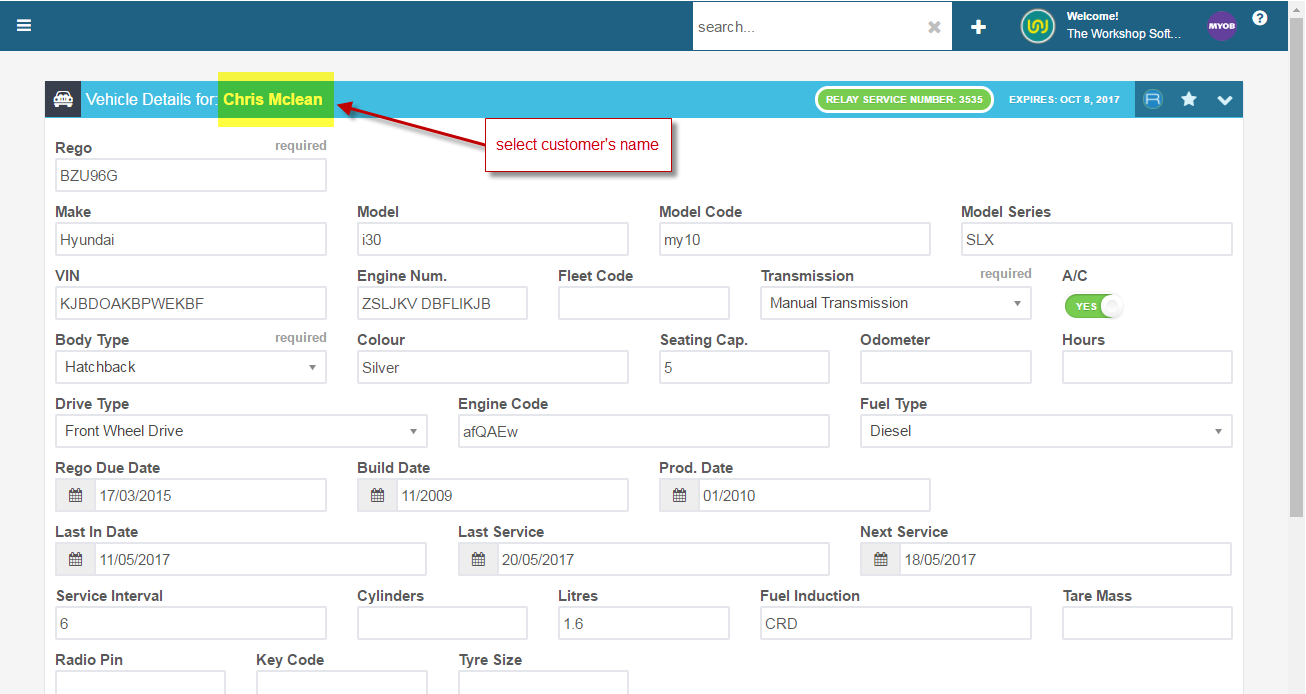
3. Use the Job Details
You can also locate the booking from the job itself by clicking on the customer’s name in the job details. This will display all the customer’s related information, including their bookings.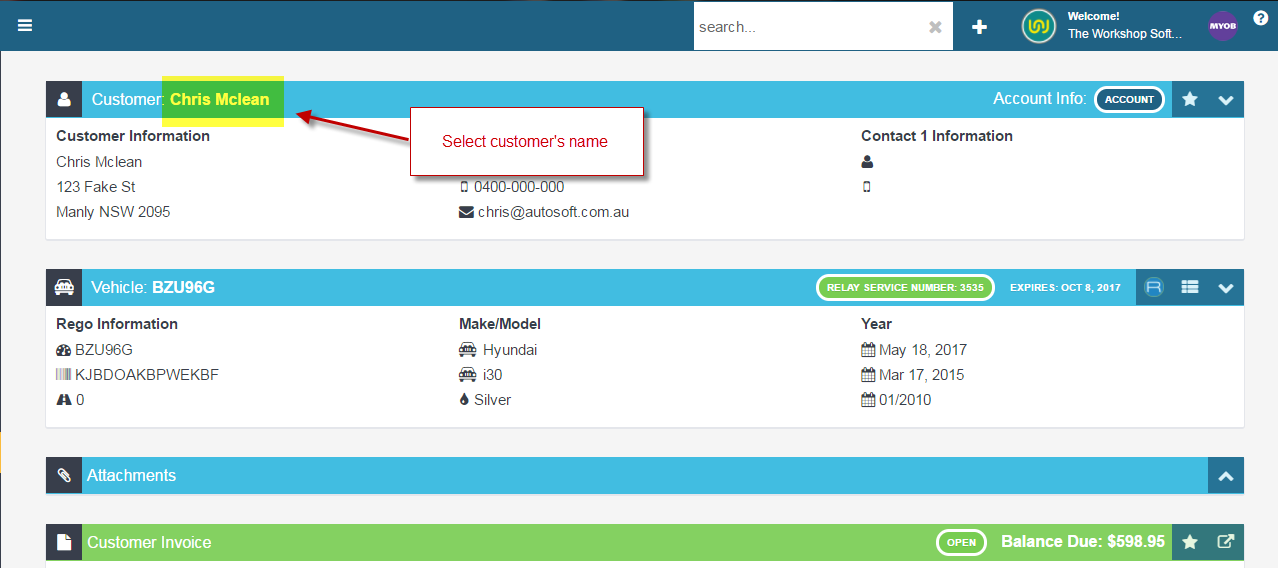 By following these steps, you will be able to locate the original booking and make the necessary updates or adjustments.
