Skip to content
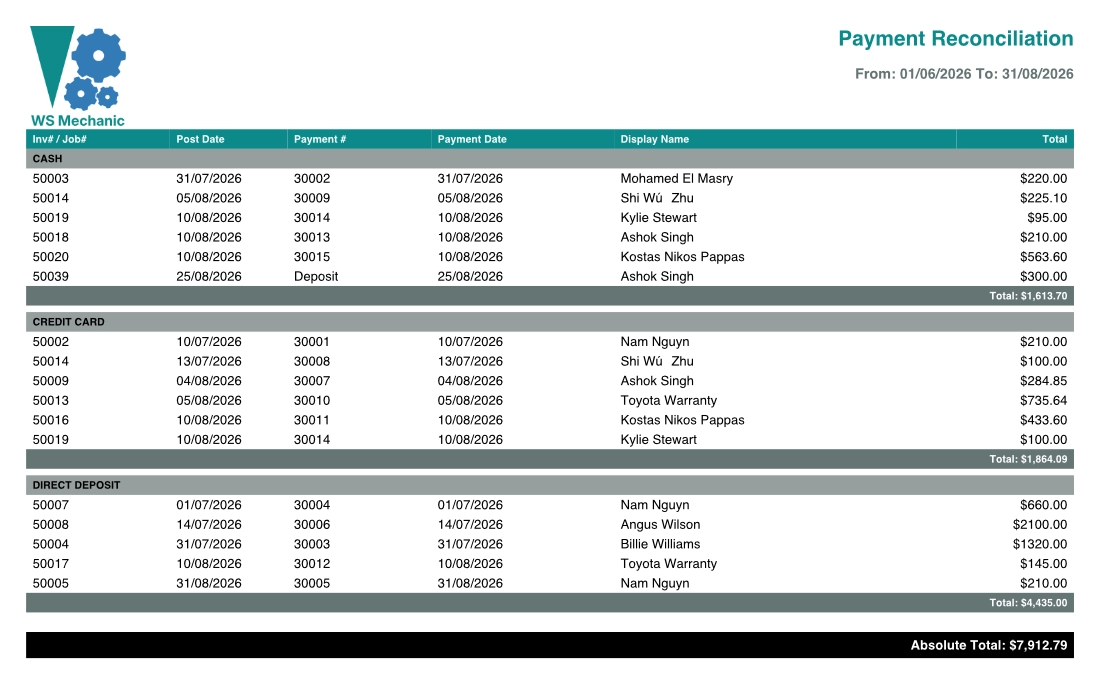
The Payment Reconciliation Report provides a list of all payments and deposits taken during a date range, grouped by the method of payment. The report shows the invoice number, payment date, customer name and payment amount.
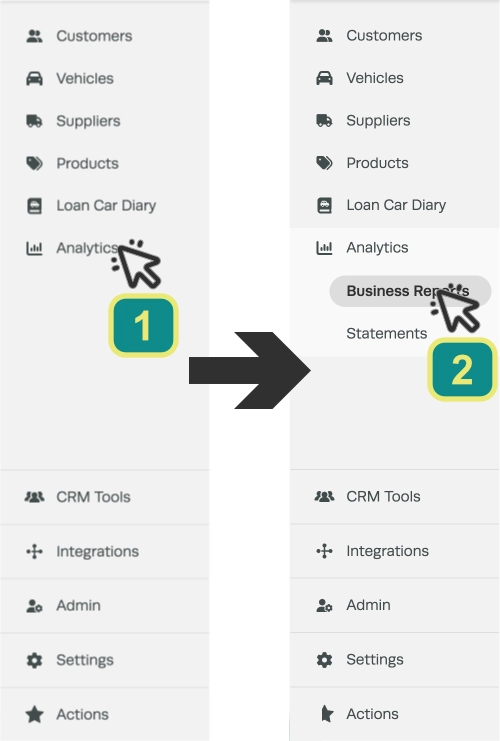
- To run the report click on Analytics (1) in the left hand side bar menu, then Business Reports (2).
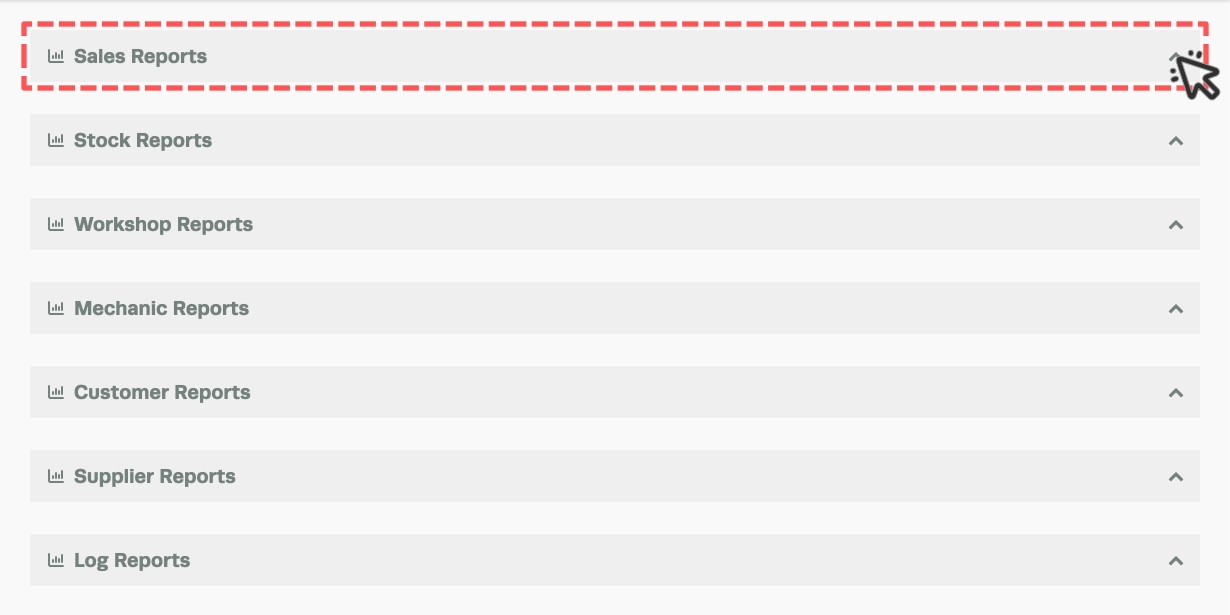
- Click on the arrow icon to the far right of the Sales Reports header to expand the card.
- Enter the date range you want the report to cover and then click on the green Printer icon at the far right to generate the report.

- The report will open in a new tab and may be saved or printed.