 Skip to content
Workshop Software lets you set a Customer’s preferred method of contact through their Customer record and choose a default Contact Method for newly created Customers.
This is an important field to keep up to date as the system uses this to determine how to contact your Customer for their automatic service, rego and booking reminders.
Setting the Contact Method for a Single Customer
Customers may be contacted by SMS or Email, two additional settings record if a customer has Opted Out (unsubscribed) or prefers communication by physical mail, these settings will not trigger Automatic Reminders.
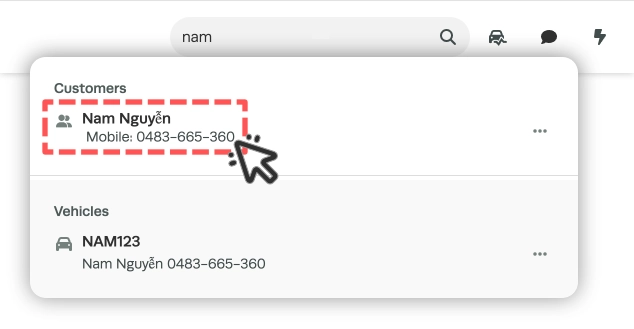
- Access a Customer's record from your Customer List or by searching for their name, email or mobile number.
- The Preferred Method Of Contact field is located on the seventh row to the far right of the screen, use the dropdown box to choose which method of contact your Customer prefers.
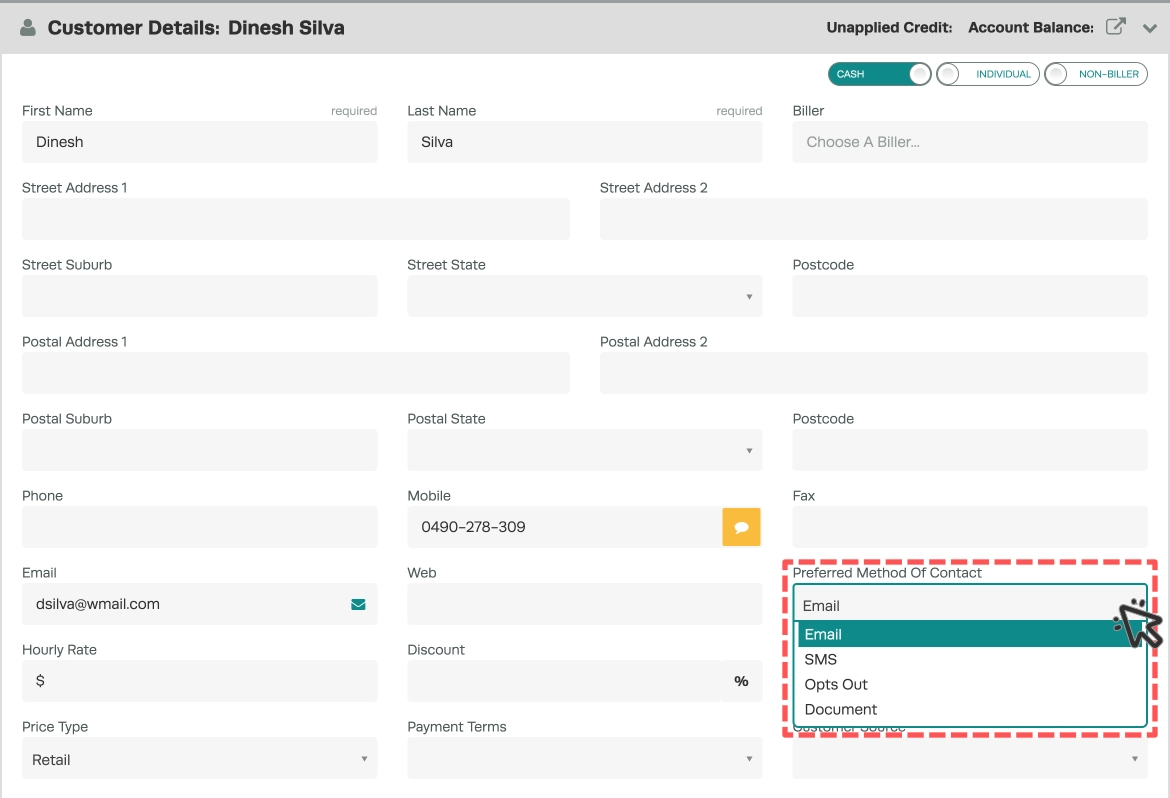
- Opts Out means the Customer will not receive any automatic messaging from the system, set this option when a Customer wishes to ‘unsubscribe’ from your company’s communication completely.
- Document is a way to record that a Customer prefers to receive a letter mailed to them but has not opted out of all communication.
- Scroll down and click the green Save button to save any changes you have made.

Setting your Workshop's Default Contact Method
The Default Contact Method is assigned to all newly created Customers, changing this setting will not update existing Customers.
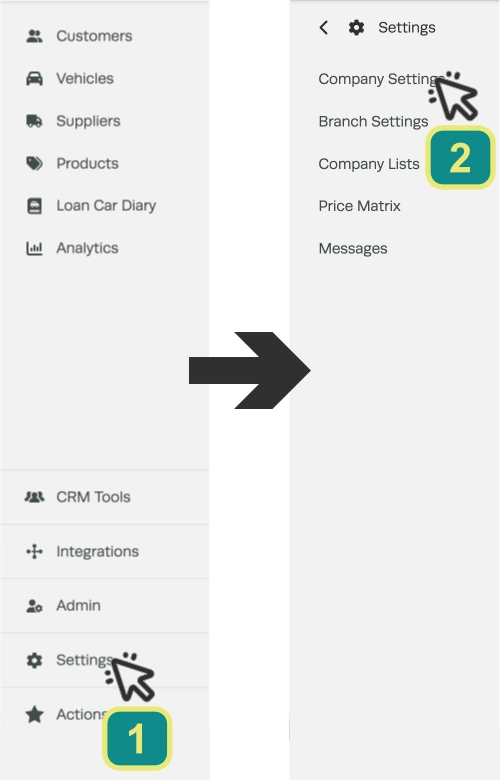
- Click on Settings (1) in the left hand side bar menu and then click on Company Settings (2).
- In the Vehicle Settings Card choose your desired Default Method of Contact, the options are the same as for individual Customers.

- Once you make this change scroll to the bottom of the page and click on Save.

Frequently Asked Questions
Why do Customers set to SMS not receive automatic reminders?
In order to send outbound SMS reminder messages from Workshop Software you must have purchased SMS credits and enabled Automatic Reminders.
Related Articles
- Edit a customer’s details
- How to manage your customers who pay you via Capricorn
- Send out a google review to your customers via SMS
