 Skip to content
This article shows you how to book a loan car against a customer's job so the vehicle is reserved, the customer's details are captured and the return date is tracked in the Loan Car Diary.
THIS FEATURE IS AVAILABLE FOR GOLD & PLATINUM CUSTOMERS ONLY
To Create The Loan Car Booking:
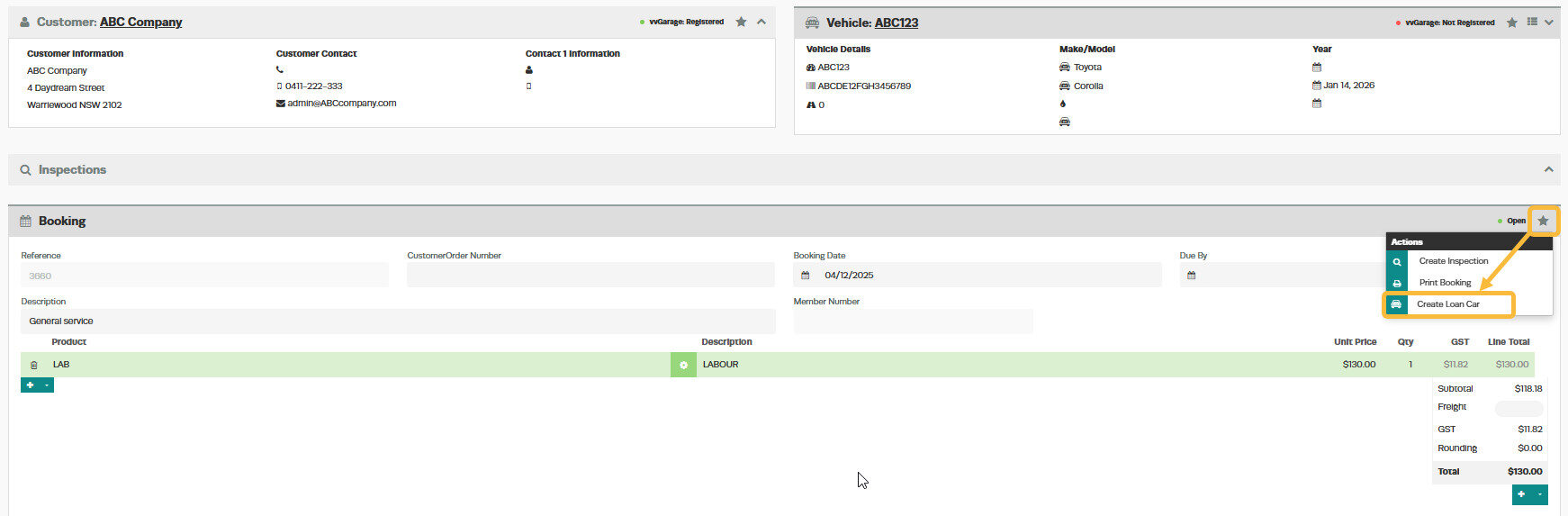
1. When you are in the Customers booking click on the 'Action Star' and 'Create Loan Car';
2. Start typing the rego number in the 'Search Loan Vehicles'
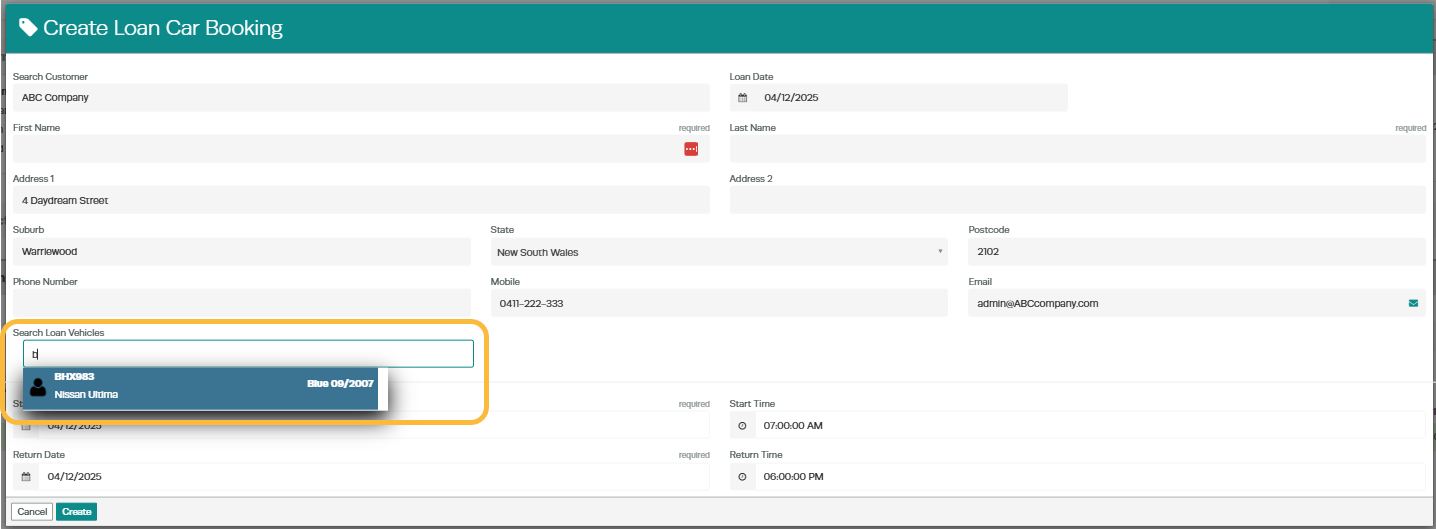
3. Enter the 'Start Date/Time' and 'Return Date/Time' and click 'Create';

