Skip to content
Most questions about Workshop Software can be answered in a minute or two without waiting for support. This article shows you where to find the Knowledge Base, video guides and in-app help, and how to search them.
There are many questions that can be answered in the Workshop Software Help Guides & Resources.
To locate these, click the "?" icon located in the bottom right corner of Workshop Software.
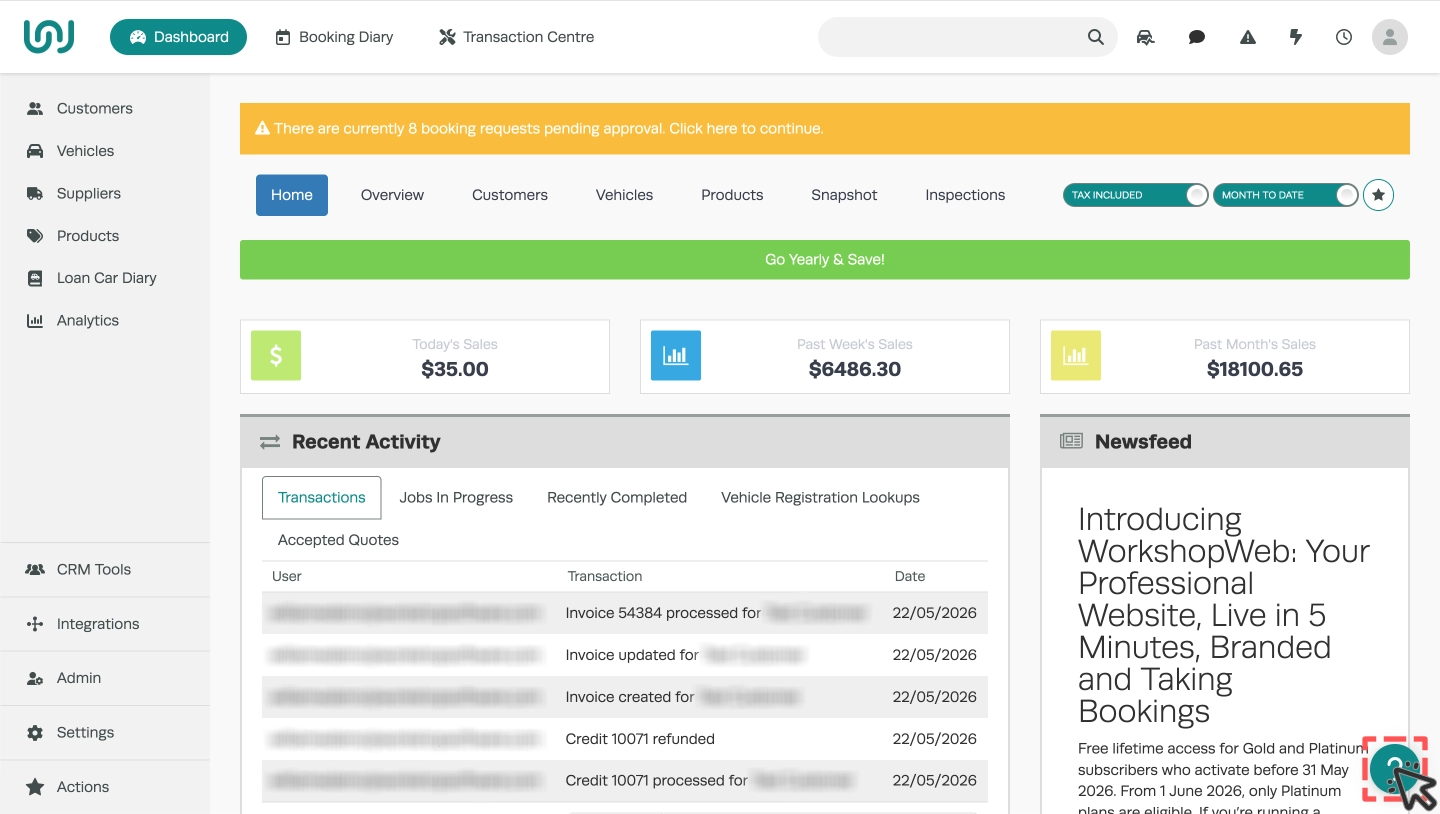
A pop up box will appear, click on "Knowledge Base".

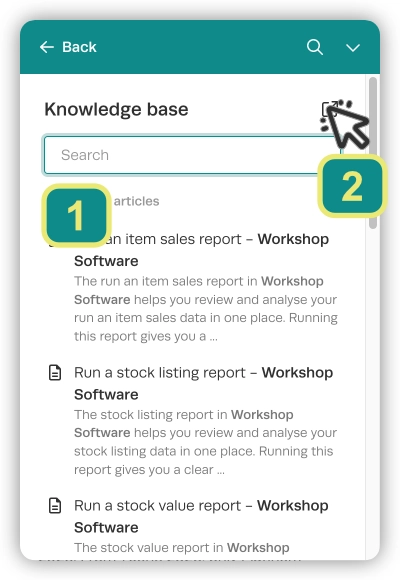
You may use the text input field (1) to search the articles in our Knowledge Base, articles will open in a new tab of your browser. Alternatively you may click the Pop Out icon (2) to open the Knowledge Base front page in a new browser tab.
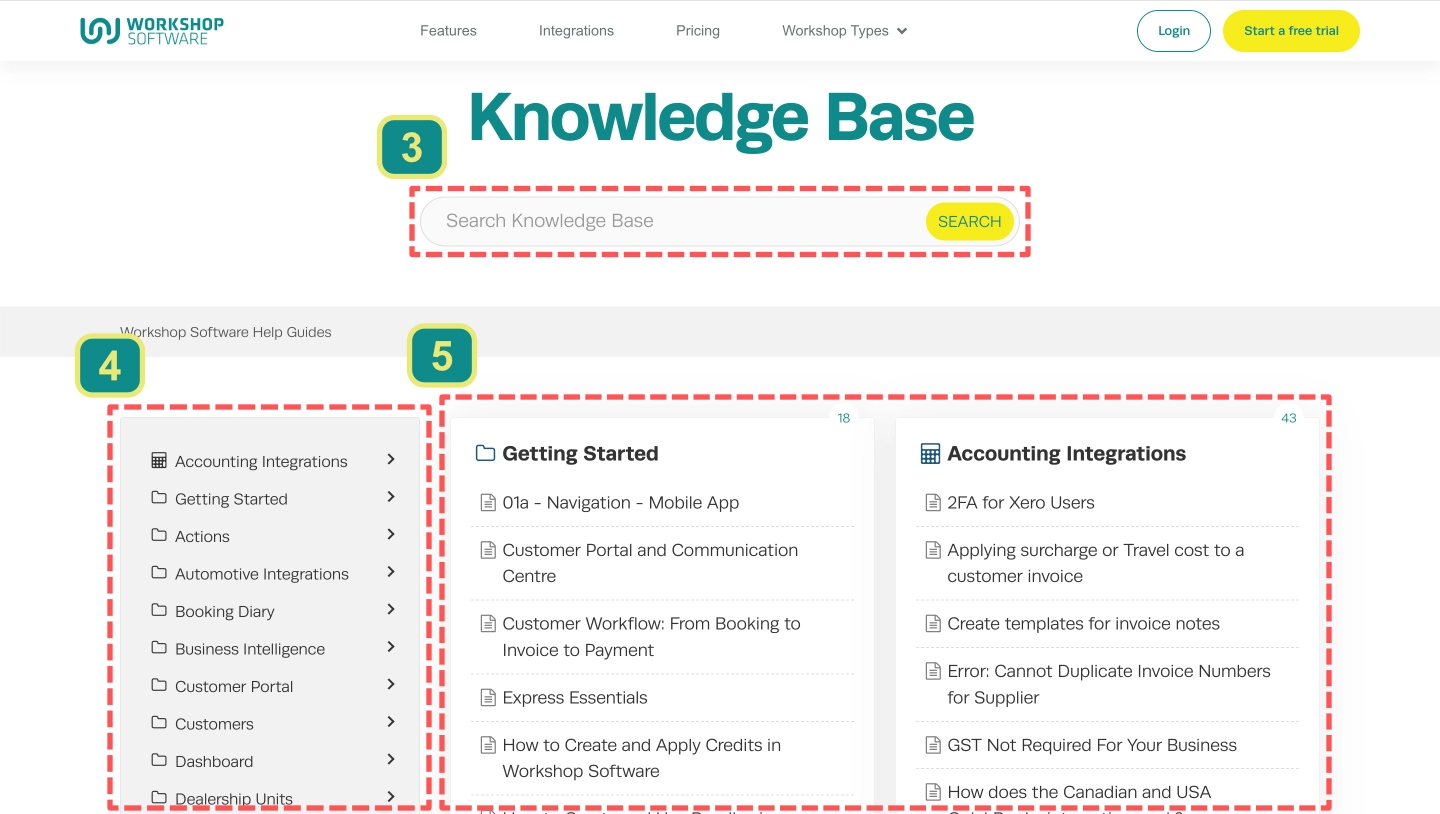
On the front page of our Knowledge Base you may use the text field (3) to search, browse our complete knowledge base by category in the left hand side bar column (4) or access our most important articles in the two columns closest to the right hand side of the page(5).
Frequently Asked Questions
Do all the guides apply to my subscription?
Our Knowledge Base is available to all customers but may contain information relevant only to Gold or Platinum subscriber features.