 Skip to content
WorkshopData is a technical information library powered by HaynesPro, covering service schedules and repair procedures for vehicles, trucks and motorbikes. This article explains how to activate the WorkshopData subscription from Automotive Integrations. It is available to Gold subscription users.
WorkshopData is a powerful, easy-to-use tool powered by HaynesPro that gives you access to a vast library of technical information for Vehicles, Trucks and Motorbikes
With WorkshopData, you’ll have all the technical details you need right at your fingertips - from service schedules and repair procedures. This comprehensive resource helps your team work more efficiently and accurately, saving valuable time on every job.
Activating the WorkshopData Subscription
This feature is only available to Gold Subscription users.
How to Activate the Integration
Follow these simple steps to activate WorkshopData in your account:
- In Workshop Software, go to the left-hand menu.
- Navigate to Integrations > Automotive Integrations.
- Select WorkshopData.
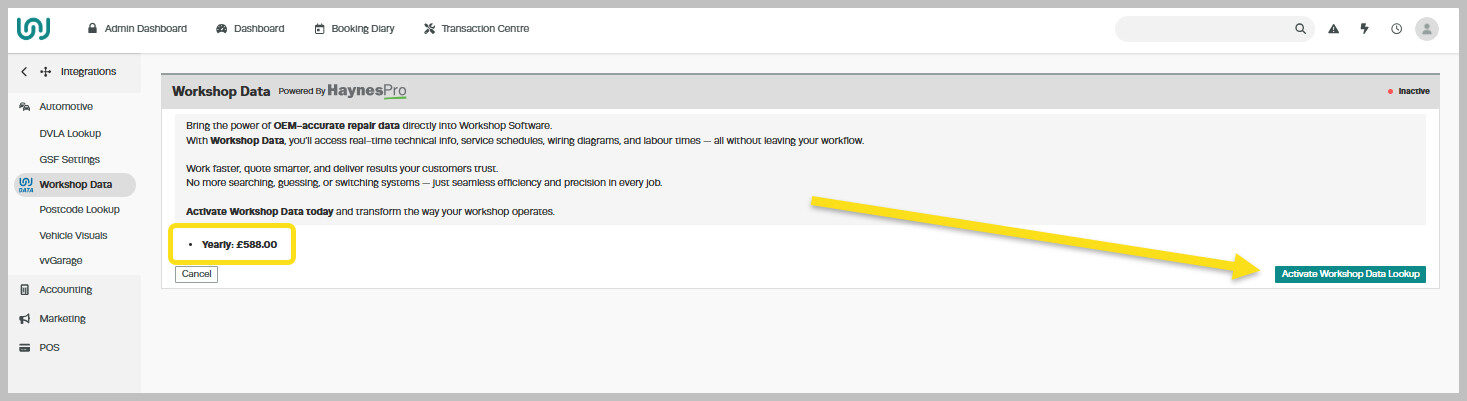
- Review the cost displayed - this will depend on whether your business is subscribed to Workshop Software on a monthly or yearly plan.
- Read through the Conditions carefully.
- Click Activate WorkshopData Lookup to enable the integration.
After successful Activation, you will see this screen:
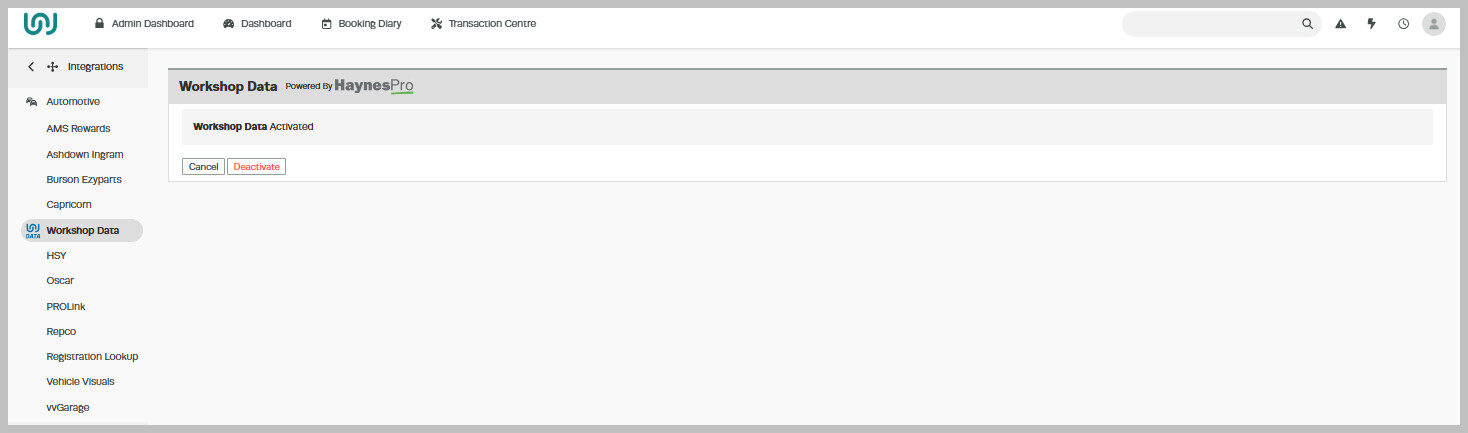
Once activated, your team will be able to access detailed technical information about Vehicles, Trucks and Motorbikes directly from Workshop Software, improving accuracy and saving valuable time during repairs and servicing.
Related Articles
- WorkshopData Subscription UK and Ireland
- WorkshopData Make and Model Search
- WorkshopData for Vehicle, Truck or Motorcycles
