 Skip to content
If your business operates from more than one location, Xero Tracking Categories let you track sales by location. This article explains how to set up Tracking Categories in Xero and turn the feature on in Workshop Software.
If your business operates in multiple work locations, the Tracking Categories feature in Xero allows you to effectively track sales for each location.
When enabled, this feature lets you:
-
Select a Tracking Category to categorize your transactions by location.
-
Choose the specific tracking options under each vehicle or location to monitor the sales activity accurately.
By using this feature, you can get more detailed insights into the performance of each location, making it easier to manage and analyse sales across different areas of your business.
To turn on the Tracking Categories feature, you first need to set up Tracking Categories in Xero
https://central.xero.com/s/article/Set-up-tracking-categories
Once you have set up Tracking Categories in Xero, Go to Settings in Workshop Software
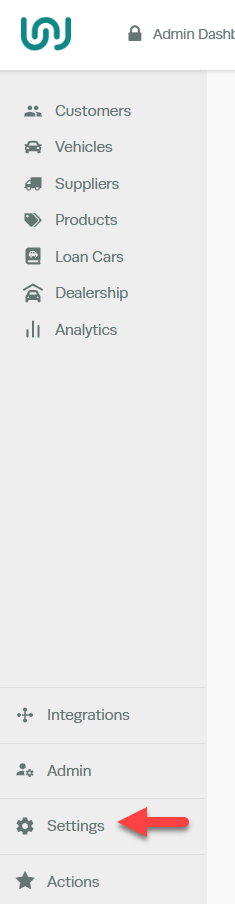
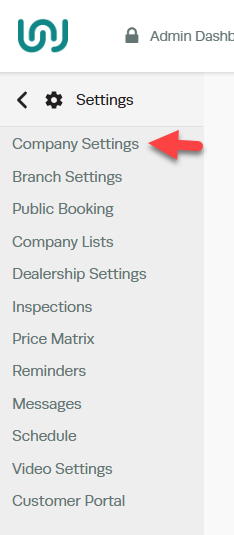
Select Company Settings
Vehicle Settings > Turn the Vehicle Tracking Category Status field to yes > Save

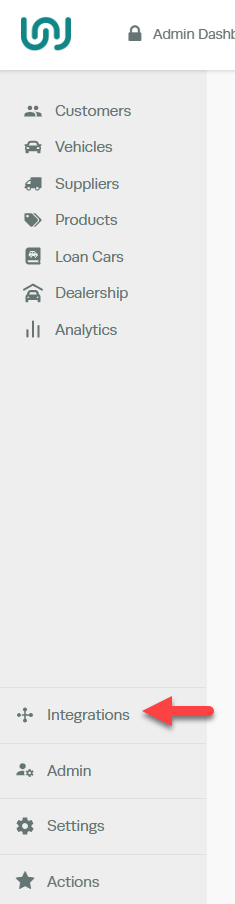
Go to Integrations
Select Accounting
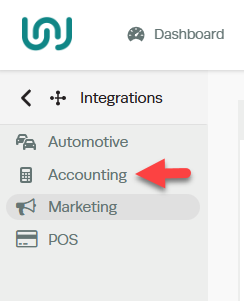
Select the Tracking Category, you are only able to select one Tracking Category

To Apply a Tracking Category option
Open the vehicle registration profile to which you would like to apply a Tracking Category.
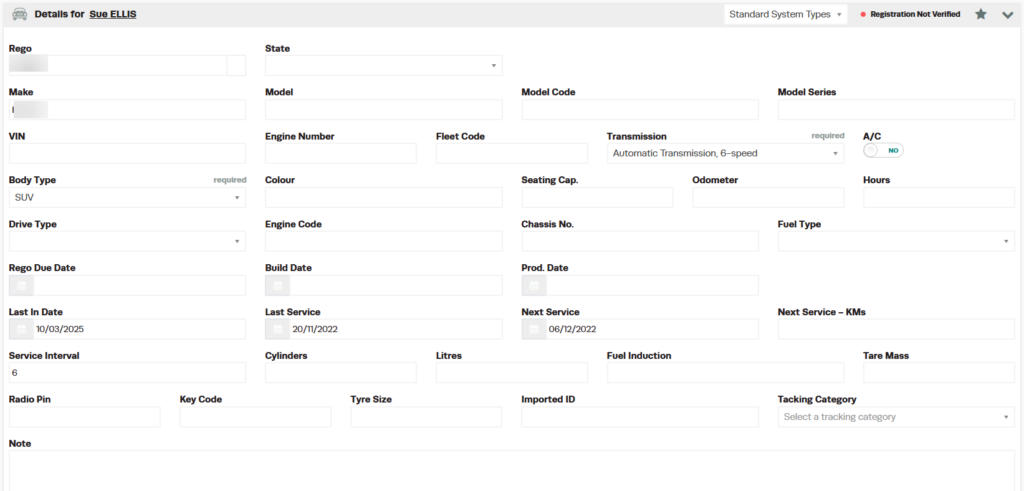
Select the tracking option that you set up in Xero under the Tracking Category.
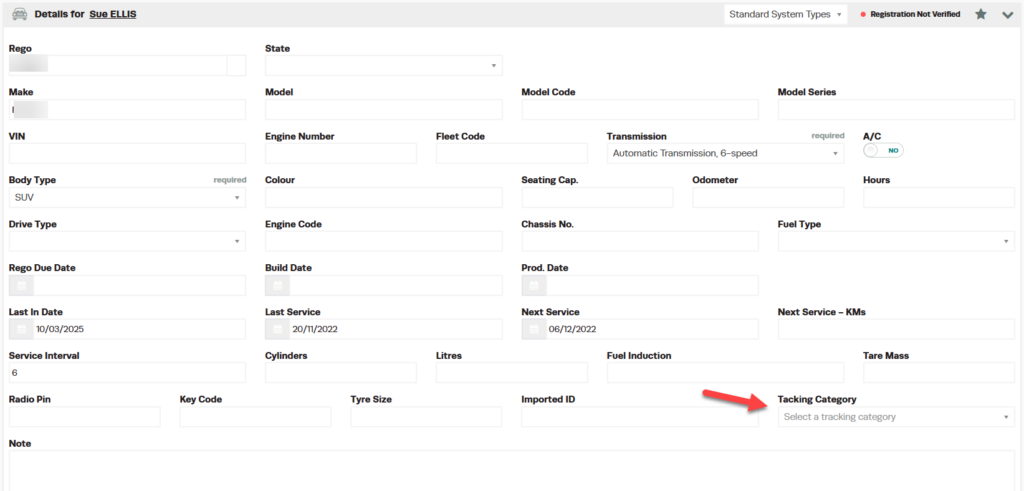
After selecting the tracking option for a vehicle, any time you create an invoice for that vehicle, it will be automatically filtered into the corresponding tracking category in Xero. You will then be able to view the different sales for each tracking category in a report within Xero.
