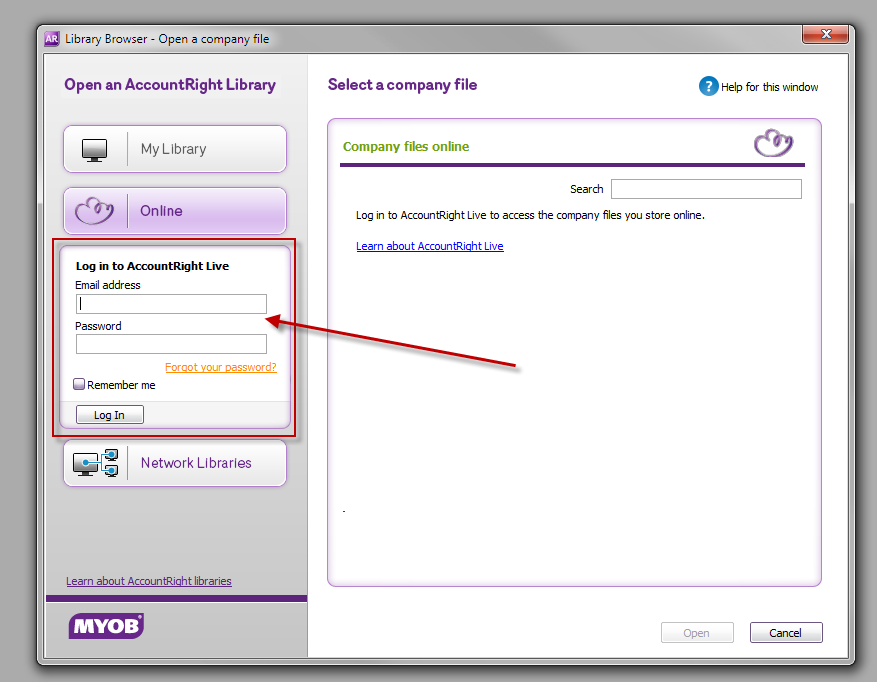
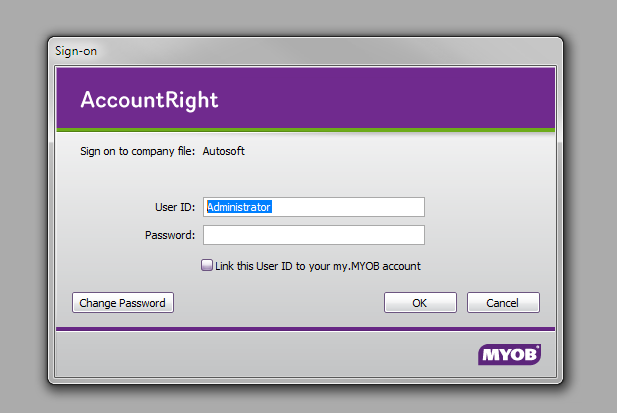
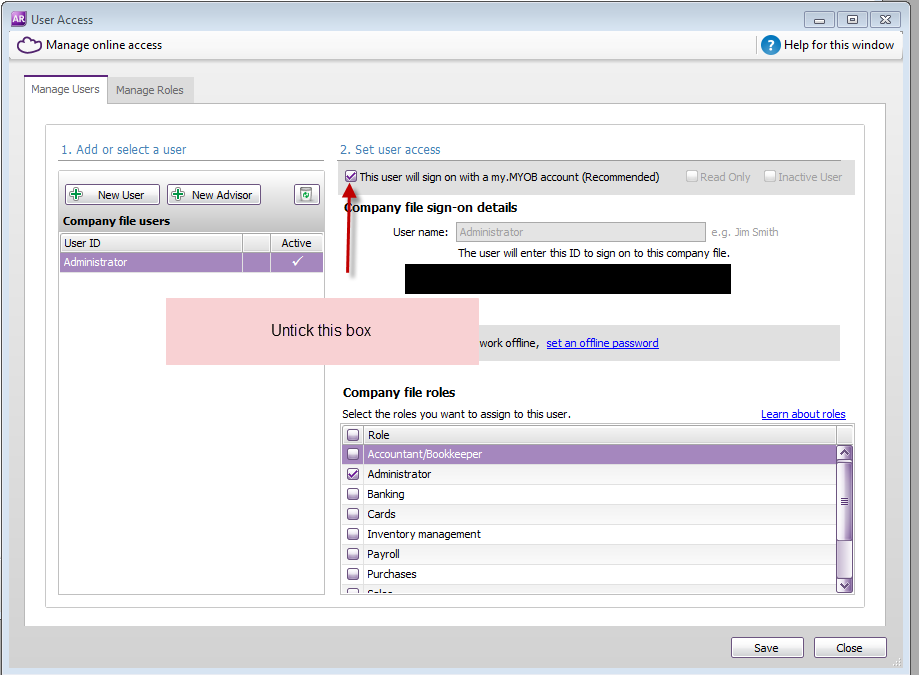
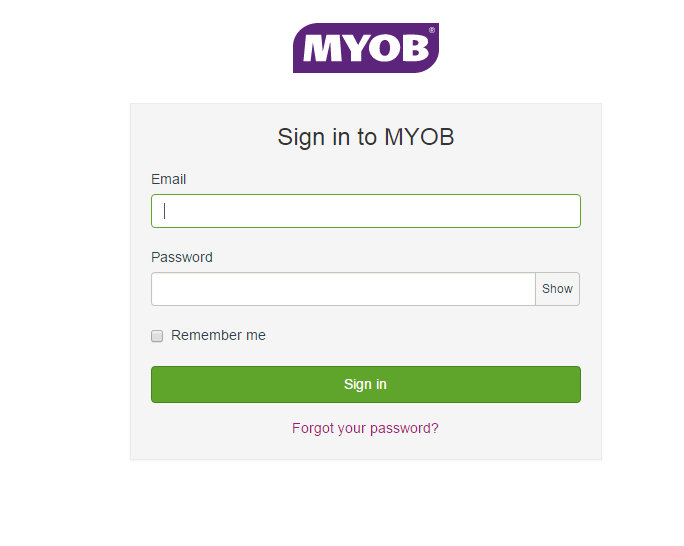
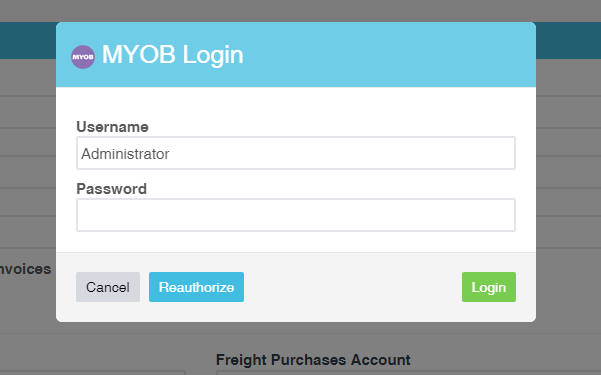
This guide is to help you when you have tried to integrate MYOB and you have received an error message saying your login details are incorrect. There are a couple of things you will need to confirm first before continuing:Are you using AccountRight?MYOB Essentials is not compatible with Workshop Software. The only version that is compatible is AccountRight.Is your AccountRight version the Online Version?All of your accounting data is placed on a Company File when using AccountRight. This company file has to be ONLINE. To be able to move your file online, please follow this guide.When you log into AccountRight, are you asked for TWO (2) forms of identification?There are 2 places that you will be asked for identification. The first is on the AccountRight screen, as seen below:The other request comes up as soon as you select the Company File. This is your administrator password. By default, this is blank. However, if it is changed, you will also need to know what this is. It looks like the below:If this box DOES NOT appear, then follow the following steps:1) Go to Setup / User Access2) Untick the box next to "This user will sign on with my.MYOB account"3) Enter a password in the allocated boxes and take note of this password
Have you entered the correct details, and in the correct screen?#
Your my.MYOB account details should be entered in this screenThen enter your Administrator username and password go into this screen:If you are still receiving an error when trying to login, please contact us on support@workshopsoftware.com, and advise the team of your situation and that you have already followed this guide.
 Skip to content
 The other request comes up as soon as you select the Company File. This is your administrator password. By default, this is blank. However, if it is changed, you will also need to know what this is. It looks like the below:
  If this box DOES NOT appear, then follow the following steps: 1) Go to Setup / User Access
  2) Untick the box next to "This user will sign on with my.MYOB account"
  3) Enter a password in the allocated boxes and take note of this password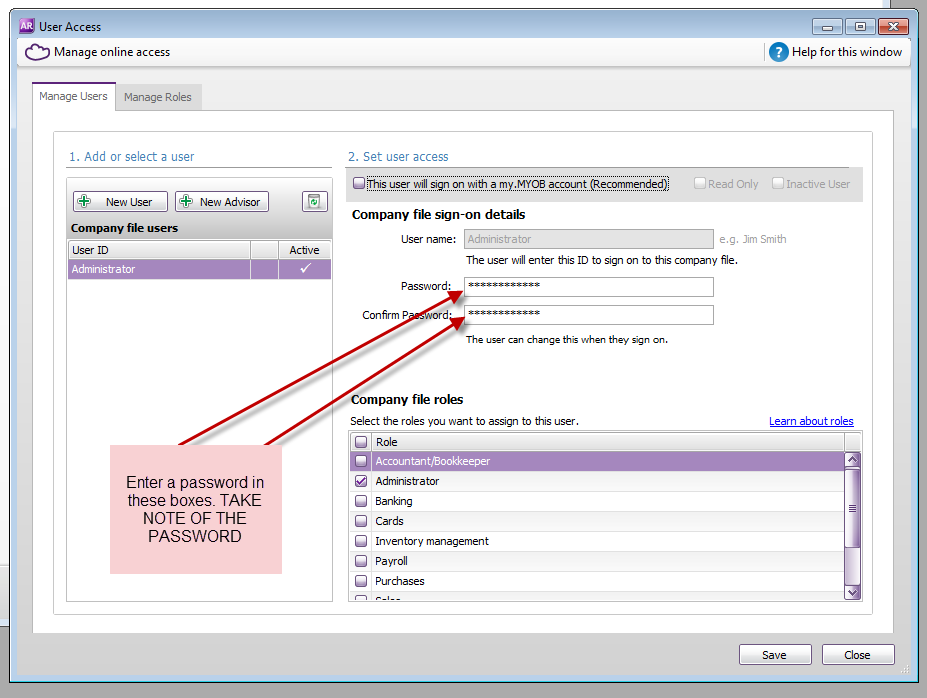
 Then enter your Administrator username and password go into this screen:
 If you are still receiving an error when trying to login, please contact us on support@workshopsoftware.com, and advise the team of your situation and that you have already followed this guide.
