
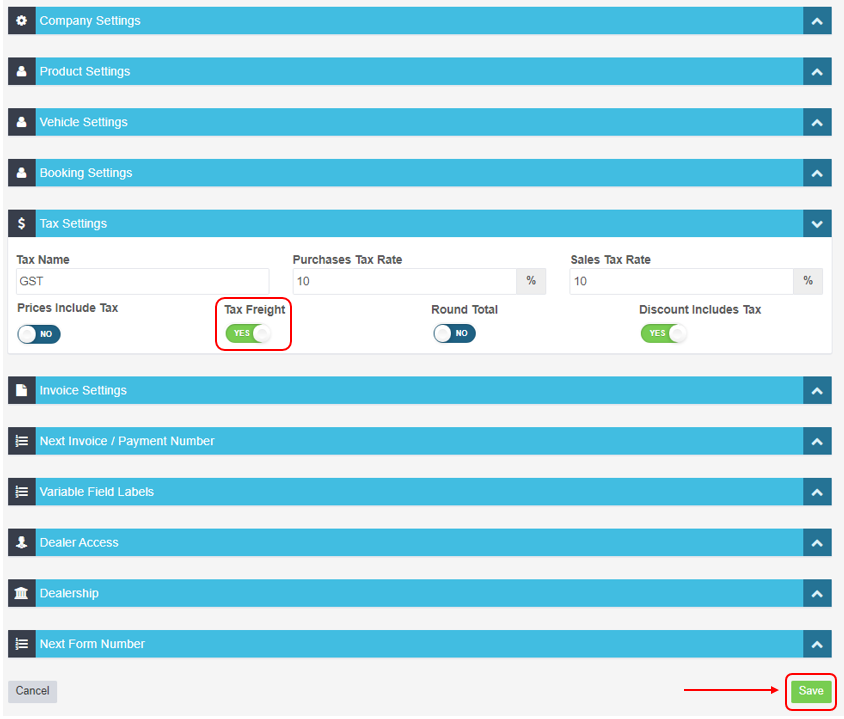
This article shows you where to turn the Tax Freight setting on or off under Tax Settings in Company Settings.
1. Click on 'Settings' from the menu options down the left hand side of the screen and then click on 'Company Settings';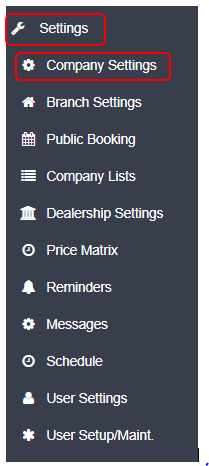 2. Under the sub heading Tax Settings click on the button under Tax Freight to change it from NO to YES;
Related Articles
- Enter your tax type and rate
- No Tax Option
- Include or exclude GST (tax) from product and labour prices
