 Skip to content
Workshop Software defaults to English (UK) and can be switched to English (US). This article shows you where to change the language in your Company Profile.
Workshop Software allows for you to choose either English (UK) or English (US) as the language used. Workshop Software will default to English (UK), if you would like to change it please follow the steps below;
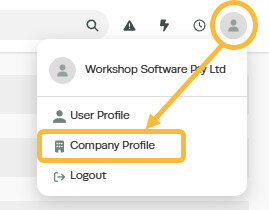
1. Open your Company Profile by clicking on your 'Person' icon at the top right of the page and then clicking 'Company Profile' from the drop down box;
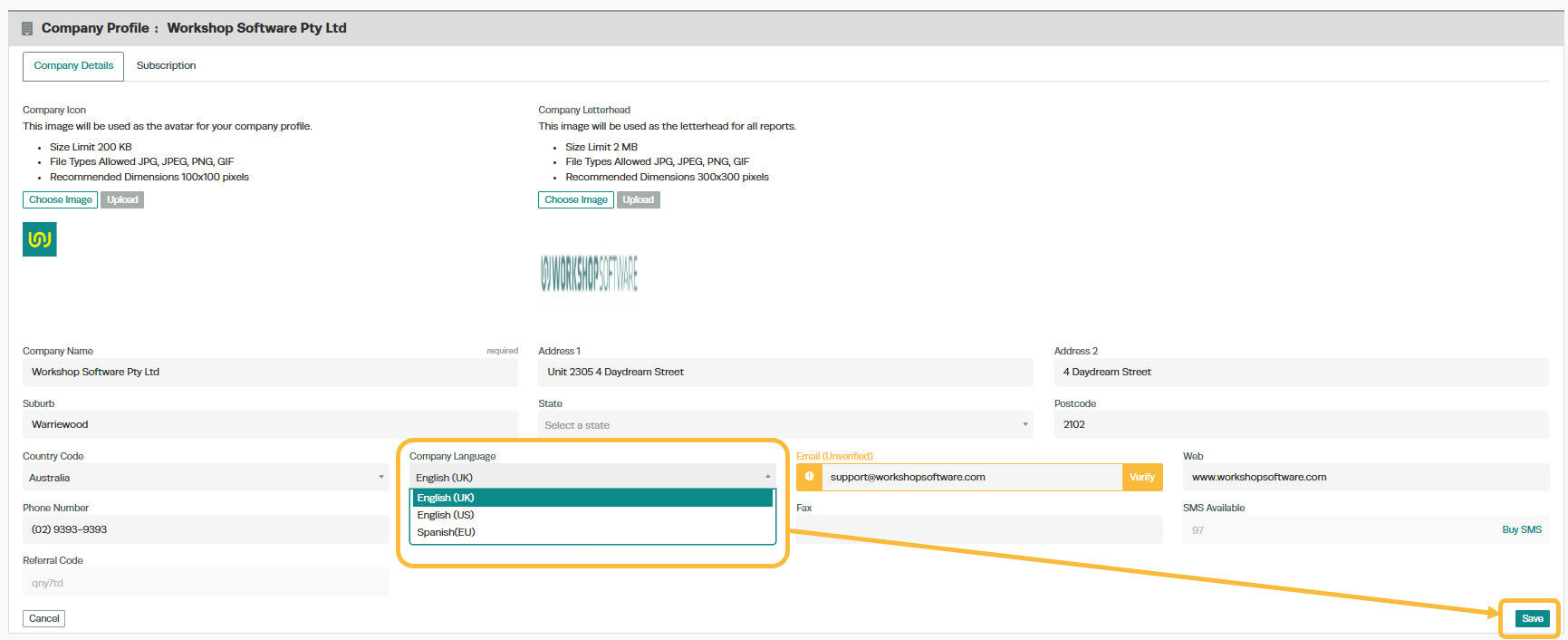
2. Choose the language you would like Workshop Software to use from the drop down box and then click on the green Save button in the bottom right to save the change;
Related Articles
- Change your country code in Workshop Software
- Workshop Software Settings
- Access and change your subscription details
