 Skip to content
When you set up franchises and groups in Dealership Software, the accounts you select need to be correct, and the assets account must be an inventory account in your accounting program. This article shows you where to set them.
When setting up your Dealership franchises & groups. It is important to set your accounts correctly.
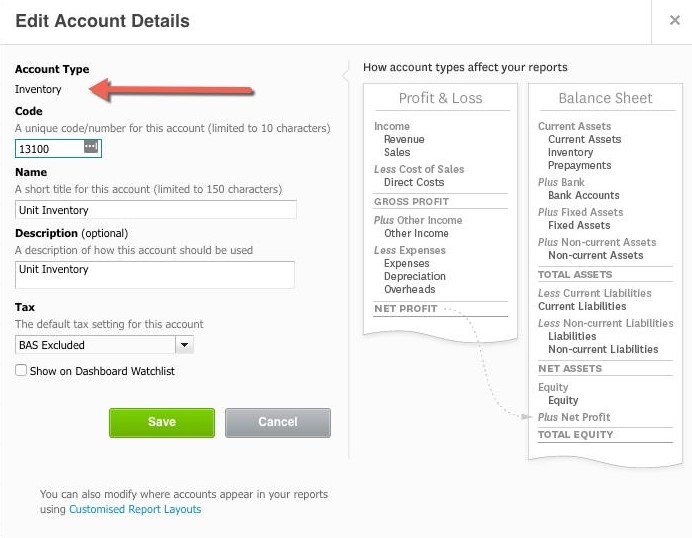
Your franchise & groups assets account must be set up in your accounting program as an inventory account.
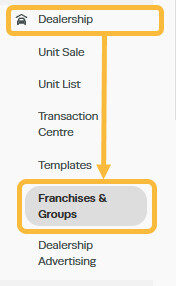
This can be done by going to 'Dealership', and then clicking on to 'Franchises & Groups';
Click on the '+' icon in the top right corner to open the settings;

Click on the 'pencil' icon next the existing group to open the settings;

Select the relevant accounts from your accounting package integration; making sure your Assets Account is set as an Inventory Account;

If you were to open your accounts package now, you can find your Assets under your inventory;
Related Articles
- Create Dealership Templates
- Multi-Branch - Setting up shared accounting with MYOB
- Setting Up and Managing Customer Online Bookings
