You’ve built a big invoice. Parts, labour, a few extra lines for the work the customer approved halfway through. Now you need to save it, and the Save button is sitting right at the bottom of a very long screen.
So you scroll. And scroll. Then you do it again on the next job, and the one after that.
Our latest update fixes that for good. Here’s what’s changed and why it matters on a busy day.
What is the floating Save button?
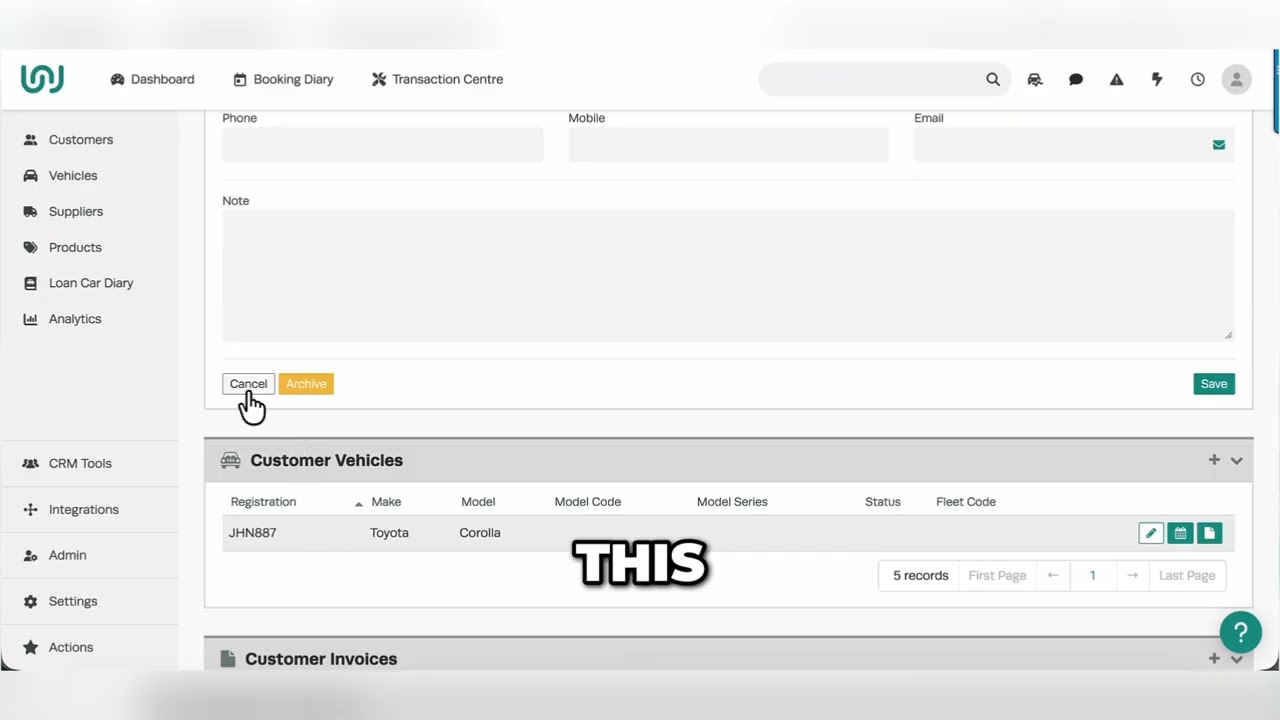
As soon as you make a change in Workshop Software, the button row (Save, Process, Delete and Cancel) pins itself to the bottom of your window. It stays there while you scroll up and down, so Save is always one click away.
Once you’ve saved, the row goes back to its usual place.
It kicks in the moment you change anything: type in an order number, add a product, update a line. You don’t need to switch it on.
Where it works
The floating Save row works right across Workshop Software, including:
- Invoices, quotes and job cards
- Supplier invoices and purchase orders
- Bookings, inspections and payments
- Customer, vehicle, product and supplier records
- Settings
Why such a small change makes a big difference
1. Long invoices stop being a chore. A big service or a major repair can run to dozens of lines. Before, saving meant a trip to the bottom of the page every time. Now Save sits in the same spot no matter where you are on the screen.
2. Fewer clicks, every job, every day. Saving is something your front counter and your techs do constantly. Taking the scroll out of every save adds up fast across a full day of jobs.
3. You can see when you’ve got unsaved changes. The row only appears once you’ve changed something. If it’s showing at the bottom of the screen, you know there’s work that hasn’t been saved yet.
4. It’s the same everywhere. Because it works on invoices, customers, vehicles, suppliers, products and more, your team learns it once and it behaves the same way on every screen.
You asked for it, we built it
The floating Save button was one of the most voted-for ideas in our feature updates. Workshops told us they wanted it, the votes stacked up, and we delivered.
We’ll keep doing that. So thanks for your votes, and keep them coming.
Try it in your workshop
The floating Save button is live now. If you’re already using Workshop Software, open a long invoice, make a change and watch the Save row follow you down the page.
Not using Workshop Software yet? Start a 14-day free trial at workshopsoftware.com. No card needed, no lock-in contract.
See everything else that’s new in our latest release notes.